
Īpašs piedāvājums
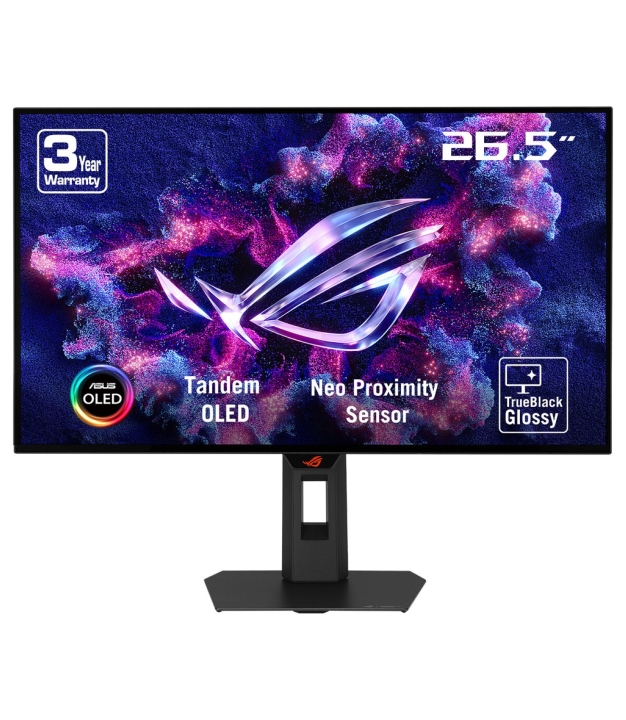
Monitor, ASUS, 26.5 , 2560 x 1440 pixels, Quad HD, Native aspect ratio 16:9, OLED, Flat, 90LM0BZ0-B01171
Zīmols:
Asus
Ekrāna izmērs:
67.3 cm (26.5")
Ekrāna izšķirtspēja:
2560 x 1440 pixels
Ekrāna atsvaidzināšanas frekvence:
280 Hz
706,68 €
/ ar PVN
584,03 €
/ bez PVN
/ ar PVN
/ bez PVN
2 Darba dienas
100+ noliktavā
Produkta apraksts
Atgriešanas noteikumi
Piegādes informācija
Jautājumi?
Ekspertu palīdzība tikai viena klikšķa attālumā.
Kontakti
Produkta Apraksts
Visuals Redefine. Witness The Evolution.
The ROG Strix OLED XG27AQWMG is a 27-inch QHD TrueBlack Glossy™ Tandem OLED gaming monitor that offers sharp visuals and features tandem OLED technology that offers 15% higher peak brightness, 25% wider color volume, and a 60% longer lifespan versus previous-generation WOLED monitors. Featuring the new Neo Proximity Sensor within the ASUS OLED Care Pro suite, the monitor is able to detect when the user is away and automatically transition to a black screen to guard against panel burn-in. Thanks to a compact stand, the XG27AQWMG takes up minimal desktop space. Plus, it offers users an extensive array of connectivity options, including DisplayPort™ 1.4 (DSC), HDMI® 2.1, and USB hub.
Gaming-Changing Visuals
Tandem OLED Technology
Tandem OLED technology pushes the boundaries with unrivaled OLED performance and longevity. It boasts an innovative four-layer stacked-structure design that allows for enhanced light emission, superior color reproduction, and significantly-longer panel lifespan compared to previous OLED panels.
15% Higher Brightness
Tandem OLED technology gives monitor brightness a boost, giving the XG27AQWMG 15% brighter visuals than WOLED panels—so visuals pop off the screen with incredible intensity to bring games and movies to life. Plus, the XG27AQWMG complies with the VESA DisplayHDR™ 500 True Black standard to ensure breathtaking highlights and inky blacks for unmatched contrast and realism.
25% Larger Color Volume
The innovative four-layer stacked structure of Tandem OLED panels gives the XG27AQWMG 25% larger color volume to show off more vibrant reds, deeper blues and every shade in between—especially when gaming in HDR. Colors are more accurate, more nuanced, and more lifelike, drawing viewers deeper into the action.
60% Longer OLED Lifespan
Tandem OLED technology offers exceptional panel longevity and energy efficiency, thanks to the four-layer design. Together with the built-in heatsink, the technology provides up to 60% longer lifespan compared to previous-generation OLEDs and significantly reduces the risk of burn-in to ensure years of stunning visuals without compromise.
Supersharp and clear imagery
Exclusive TrueBlack Glossy™ OLED
The ROG Strix OLED XG27AQWMG features a new TrueBlack Glossy™ OLED panel with a zero-haze optical layer that presents deep blacks under any lighting. Its advanced anti-reflective coating reduces ambient reflections by 38% compared to previous-gen glossy WOLEDs, ensuring distraction-free gaming even in brightly lit rooms.
FOURTH-GENERATION WOLED TECHNOLOGY
Screen Protection
ASUS OLED CARE PRO
New ASUS OLED Care Pro technology provides a full set of customizable monitor settings to protect and ensure the longevity of the OLED panel. Plus, it includes the new Neo Proximity Sensor designed to guard against panel burn-in. All settings can be easily managed via DisplayWidget Center.
Neo Proximity Sensor
The built-in Neo Proximity Sensor precisely detects the user's distance from the monitor. When the user steps away, the monitor transitions to a black image to protect against panel burn-in; when the user returns, content is instantly restored onscreen. Detection distance can be customized to suit personal preference, ensuring maximum convenience and protection.
* Before activating the detection function, please ensure that the monitor sensor is properly angled and cleaned by using the bundled microfiber cloth.
Pixel cleaning
Recalibrates the screen when the monitor has been active for several hours―a process that takes just a few minutes and activates automatically when the monitor is turned off*
*Do not unplug the power cord during this time as it will interrupt the pixel-cleaning process.
SCREEN MOVE
Pixel locations are slightly shifted periodically to help prevent burn-in, and users can choose between several movement levels. movement levels.
Built to Last
Worry-free OLED Monitor
ROG OLED monitors are engineered to deliver stunning visuals for years to come. An innovative custom heatsink and a unique internal airflow design improve cooling and reduce the risk of burn-in. Additionally, each ROG monitor comes with a three-year warranty.
ROG OLED Anti-Flicker
ROG-exclusive OLED Anti-Flicker technology offers three refresh rate ranges ― High, Mid, Off ― to reduce flicker during frame rate fluctuations and maintain an immersive gaming experience.
*Videos may be simulated and dramatized for illustrative purposes.
Compact and Ergonomic Design
The new ROG Strix OLED series monitors feature a new compact stand that’s 30% smaller than those found on previous-generation XG monitors, freeing up valuable desk space for a keyboard and mouse. The stand offers tilt, swivel, and height adjustments for the ideal viewing position. The display is also VESA wall-mount-compatible.
Aspect Ratio Control
For competitive gamers who are more familiar with smaller 1080p monitors, the XG27AQWMG can be set to replicate a 24.5-inch (esports mode), as well as other visual modes.
DisplayWidget Center
DisplayWidget Center is a powerful monitor management software designed to help users optimize, personalize, and fully utilize their display via a mouse — so there's no need to access the OSD menu. Additionally, DisplayWidget Center offers firmware update notifications and includes a direct update option. Users can also import or export display configurations for sharing.
Play Smarter with AI Assistant
The AI Assistant in XG27AQWMG includes AI Visual, Dynamic Crosshair, and Dynamic Shadow Boost. These features leverage AI technology to help gamers practice more effectively to improve their skills.
Uniform brightness
When activated, the ROG-exclusive Uniform Brightness* setting within the OSD menu decreases peak brightness to keep levels consistent for better viewing—even when changing the size of bright white windows. It also makes marathon gaming sessions much more comfortable on the eyes.
Rich Connectivity
Extensive connectivity options such as DisplayPort™ 1.4 with Display Stream Compression (DSC), two HDMI® 2.1, and USB hub for a wide array of multimedia devices.
The ROG Strix OLED XG27AQWMG is a 27-inch QHD TrueBlack Glossy™ Tandem OLED gaming monitor that offers sharp visuals and features tandem OLED technology that offers 15% higher peak brightness, 25% wider color volume, and a 60% longer lifespan versus previous-generation WOLED monitors. Featuring the new Neo Proximity Sensor within the ASUS OLED Care Pro suite, the monitor is able to detect when the user is away and automatically transition to a black screen to guard against panel burn-in. Thanks to a compact stand, the XG27AQWMG takes up minimal desktop space. Plus, it offers users an extensive array of connectivity options, including DisplayPort™ 1.4 (DSC), HDMI® 2.1, and USB hub.
Gaming-Changing Visuals
Tandem OLED Technology
Tandem OLED technology pushes the boundaries with unrivaled OLED performance and longevity. It boasts an innovative four-layer stacked-structure design that allows for enhanced light emission, superior color reproduction, and significantly-longer panel lifespan compared to previous OLED panels.
15% Higher Brightness
Tandem OLED technology gives monitor brightness a boost, giving the XG27AQWMG 15% brighter visuals than WOLED panels—so visuals pop off the screen with incredible intensity to bring games and movies to life. Plus, the XG27AQWMG complies with the VESA DisplayHDR™ 500 True Black standard to ensure breathtaking highlights and inky blacks for unmatched contrast and realism.
25% Larger Color Volume
The innovative four-layer stacked structure of Tandem OLED panels gives the XG27AQWMG 25% larger color volume to show off more vibrant reds, deeper blues and every shade in between—especially when gaming in HDR. Colors are more accurate, more nuanced, and more lifelike, drawing viewers deeper into the action.
60% Longer OLED Lifespan
Tandem OLED technology offers exceptional panel longevity and energy efficiency, thanks to the four-layer design. Together with the built-in heatsink, the technology provides up to 60% longer lifespan compared to previous-generation OLEDs and significantly reduces the risk of burn-in to ensure years of stunning visuals without compromise.
Supersharp and clear imagery
Exclusive TrueBlack Glossy™ OLED
The ROG Strix OLED XG27AQWMG features a new TrueBlack Glossy™ OLED panel with a zero-haze optical layer that presents deep blacks under any lighting. Its advanced anti-reflective coating reduces ambient reflections by 38% compared to previous-gen glossy WOLEDs, ensuring distraction-free gaming even in brightly lit rooms.
FOURTH-GENERATION WOLED TECHNOLOGY
Screen Protection
ASUS OLED CARE PRO
New ASUS OLED Care Pro technology provides a full set of customizable monitor settings to protect and ensure the longevity of the OLED panel. Plus, it includes the new Neo Proximity Sensor designed to guard against panel burn-in. All settings can be easily managed via DisplayWidget Center.
Neo Proximity Sensor
The built-in Neo Proximity Sensor precisely detects the user's distance from the monitor. When the user steps away, the monitor transitions to a black image to protect against panel burn-in; when the user returns, content is instantly restored onscreen. Detection distance can be customized to suit personal preference, ensuring maximum convenience and protection.
* Before activating the detection function, please ensure that the monitor sensor is properly angled and cleaned by using the bundled microfiber cloth.
Pixel cleaning
Recalibrates the screen when the monitor has been active for several hours―a process that takes just a few minutes and activates automatically when the monitor is turned off*
*Do not unplug the power cord during this time as it will interrupt the pixel-cleaning process.
SCREEN MOVE
Pixel locations are slightly shifted periodically to help prevent burn-in, and users can choose between several movement levels. movement levels.
Built to Last
Worry-free OLED Monitor
ROG OLED monitors are engineered to deliver stunning visuals for years to come. An innovative custom heatsink and a unique internal airflow design improve cooling and reduce the risk of burn-in. Additionally, each ROG monitor comes with a three-year warranty.
ROG OLED Anti-Flicker
ROG-exclusive OLED Anti-Flicker technology offers three refresh rate ranges ― High, Mid, Off ― to reduce flicker during frame rate fluctuations and maintain an immersive gaming experience.
*Videos may be simulated and dramatized for illustrative purposes.
Compact and Ergonomic Design
The new ROG Strix OLED series monitors feature a new compact stand that’s 30% smaller than those found on previous-generation XG monitors, freeing up valuable desk space for a keyboard and mouse. The stand offers tilt, swivel, and height adjustments for the ideal viewing position. The display is also VESA wall-mount-compatible.
Aspect Ratio Control
For competitive gamers who are more familiar with smaller 1080p monitors, the XG27AQWMG can be set to replicate a 24.5-inch (esports mode), as well as other visual modes.
DisplayWidget Center
DisplayWidget Center is a powerful monitor management software designed to help users optimize, personalize, and fully utilize their display via a mouse — so there's no need to access the OSD menu. Additionally, DisplayWidget Center offers firmware update notifications and includes a direct update option. Users can also import or export display configurations for sharing.
Play Smarter with AI Assistant
The AI Assistant in XG27AQWMG includes AI Visual, Dynamic Crosshair, and Dynamic Shadow Boost. These features leverage AI technology to help gamers practice more effectively to improve their skills.
Uniform brightness
When activated, the ROG-exclusive Uniform Brightness* setting within the OSD menu decreases peak brightness to keep levels consistent for better viewing—even when changing the size of bright white windows. It also makes marathon gaming sessions much more comfortable on the eyes.
Rich Connectivity
Extensive connectivity options such as DisplayPort™ 1.4 with Display Stream Compression (DSC), two HDMI® 2.1, and USB hub for a wide array of multimedia devices.
Specifikācijas
Vispārīgi
Tirgus segments
Gaming
Sertifikāti
TÜV Flicker-free TÜV Low Blue Light (Hardware Solution) VESA AdaptiveSync Display 280Hz VESA DisplayHDR 500 True Black AMD FreeSync Premium Pro G-SYNC Compatible FSC MIX
Attēlot
HDR enerģijas patēriņš (kWh/1000h)
50 kWh
Energoefektivitātes klase (HDR)
G
Kontrasta attiecība
Statiskais kontrasta koeficients mēra, cik reižu spožāks ir tīri baltais salīdzinājumā ar tīri melno uz paneļa. Augstāks kontrasts nozīmē dziļāku melno un izteiksmīgāku attēlu. Tipiskie IPS paneļi sasniedz 1000:1, VA paneļi 3000:1, OLED paneļi - praktiski
1500000:1
Krāsu dziļums
Tipiskais: 16M (8-bit) vai 1B (10-bit). Vairāk krāsu = vienmērīgāki pāreji.
1.073 billion colours
Krāsu dziļums
10 bit
Paneļa tips
Paneļa tips nosaka monitora krāsu, kontrastu un skatu leņķu raksturu. IPS = plati skatu leņķi, precīzas krāsas, mērens kontrasts; VA = augsts kontrasts un dziļa melnā krāsa, šaurāki leņķi; TN = ātrākā reakcija, bet ierobežoti leņķi; OLED = perfekta melnā
WOLED
Ekrāna forma
Flat
Adaptīvā sinhronizācija
Mainīga atsvaidzes frekvences tehnoloģija (FreeSync / G-Sync Compatible) sinhronizē monitora atsvaidzes frekvenci ar GPU faktisko kadru ātrumu. Rezultāts ir bez kadru plīšanas un bez raustīšanās, kad kadru ātrums nokrīt zem monitora maksimālās atsvaidzes.
Jā
AMD FreeSync
Adaptīvā sinhronizācija AMD GPU bez ekrāna plīsumiem.
FreeSync Premium Pro
Iebūvēta tīmekļa kamera
Nē
Krāsu telpa
sRGB: standarts tīmeklim/birojam. DCI-P3: kino/foto rediģēšana. Adobe RGB: pro foto.
DCI-P3
DCI-P3 pārklājums
Kino krāsu telpa. 90%+ ir labi foto/video darbam.
99.5%
Horizontālā frekvence
480 - 480 kHz
Vertikālā frekvence
41 - 280 Hz
Maksimālais spilgtums
1500 cd/m²
Ekrāna tehnoloģija
IPS: plati leņķi. VA: augsts kontrasts. OLED: perfektas melnās krāsas. TN: ātrs odzejs.
OLED
Bez mirgošanas
Samazina acu nogurumu, novēršot fona apgaismojuma mirgošanu visos spilgtuma līmeņos.
Jā
Izšķirtspējas klase
FHD=1920×1080, QHD=2560×1440, 4K=3840×2160, OLED norāda paneļa tipu.
Quad HD
HDR atbalsts
Augsts dinamiskais diapazons . plašāks spilgtuma un krāsu diapazons reālistiskākam saturam.
Jā
HDR standarts
HDR10: pamata. HDR10+/Dolby Vision: dinamiskā metadati labākiem rezultātiem.
HDR True Black 500, High Dynamic Range 10 (HDR10)
Mazs zilās gaismas līmenis
Aparatūras zilās gaismas filtrs acu noguruma samazināšanai garās sesijās.
Jā
Ekrāna proporcijas
16:9 = standarta platekrāns. 16:10 = vairāk vertikālas vietas. 21:9 = ultraplatais.
16:9
NVIDIA G-Sync
NVIDIA G-Sync ir mainīga atsvaidzes frekvences tehnoloģija, kas iebūvēta saderīgās NVIDIA GPU. Tā sinhronizē monitora atsvaidzes frekvenci ar GPU faktisko kadru ātrumu, novēršot plīšanu un raustīšanos. G-Sync Ultimate prasa aparatūras moduli monitorā; G-S
Jā
NVIDIA G-Sync tips
G-Sync Compatible: pamata VRR. G-Sync: validēts. G-Sync Ultimate: HDR+.
G-SYNC Compatible
Pikseļu solis
0.229 x 0.229 mm
Pārslēgšanās laiks
Pikseļa reakcijas laiks (ms) ir, cik ilgi pikselim nepieciešams, lai mainītu krāsu. Zemāki skaitļi samazina kustību izsmērēšanos un 'spokus' ātrās ainās. 1-5 ms ir piemēroti spēlēm; 5-10 ms ir pieņemami produktivitātei. Ražotāji parasti norāda labāko GtG
0.03 ms
Atbildes laika mērījuma veids
GtG (pelēks uz pelēku) ir nozares standarts. MPRT ietver kustības miglojumu.
GTG (Gray to Gray)
Skārienekrāns
Nē
Adaptīvā sinhronizācija (VRR)
Mainīgais atsvaidzināšanas ātrums novērš plīsumus. Darbojas ar AMD un NVIDIA GPU.
Jā
Skatāmā platuma izmērs
59 cm
Skatāmā augstuma izmērs
33.2 cm
Horizontālais skatīšanās leņķis
IPS paneļi parasti 178°. Šaurāki leņķi (TN) izraisa krāsu nobīdi no sāniem.
178°
Vertikālais skatīšanās leņķis
178°
Krāsu gamuts
Cik daudz krāsu telpas ekrāns var reproducēt. Augstāks % = spilgtākas krāsas.
99.5%
Spēļu režīms
Jā
Displeja virsma
Gloss
Savienojumi
DisplayPort versija
DisplayPort versija nosaka maksimālo izšķirtspēju un atsvaidzi. DP 1.4 = 4K pie 120 Hz, 8K pie 60 Hz ar DSC; DP 2.1 = 4K pie 240 Hz, 8K pie 120 Hz. DisplayPort parasti nodrošina augstākas atsvaidzes spēlēm draudzīgākus režīmus nekā HDMI tādā pašā paaudzē.
1.4
DisplayPort pieslēgvietu skaits
1
HDMI
Jā
HDMI pieslēgvietu skaits
2
HDMI versija
HDMI versija nosaka maksimālo atbalstīto izšķirtspēju un atsvaidzes frekvenci. HDMI 2.0 = 4K pie 60 Hz, HDMI 2.1 = 4K pie 120 Hz vai 8K pie 60 Hz ar HDR. Lai darbinātu 4K120, HDMI kabelim, avotam un displejam visiem jābūt 2.1.
2.1
Austiņu izeja
Jā
Austiņu izejas
1
Iebūvēts USB centrmezgls
Jā
USB centrmezgla versija
3.2 Gen 1 (3.1 Gen 1)
USB Type-A lejupejošo pieslēgvietu skaits
2
Funkcijas
Zīmola tehnoloģijas
ASUS OLED Care
Shadow Control
Jā
Audio
Austiņu izeja
3.5 mm
Iebūvētie skaļruņi
Nē
Barošana
SDR enerģijas patēriņš (kWh/1000h)
25 kWh
Energoefektivitātes klase (SDR)
F
Patēriņš (izslēgts)
0.3 W
Patēriņš (miega režīmā)
0.5 W
Tipiskais enerģijas patēriņš
Tipiskā kartes jauda (W) ir enerģijas patēriņš normālas spēļu slodzes laikā. Izmantojiet to, lai aprēķinātu elektrības izmaksas un izvēlētos dzesēšanu. Maksimālie īslaicīgie pīķi var būt par 20-30 procentiem augstāki, tāpēc PSU ieteikumiem ir paredzēta re
26.8 W
Ievades frekvence
50/60 Hz
Ievades spriegums
100 - 240 V
Barošanas tips
External
Fiziskie parametri
Maks. augstuma regulējums
11 cm
Kabeļa slēdzenes ligzdas tips
Kensington
Dziļums (ar statīvu)
188 mm
Dziļums (bez statīva)
63 mm
Statīva krāsa
Black
Augstuma regulēšana
Jā
Augstums (ar statīvu)
500 mm
Augstums (bez statīva)
368 mm
Stiprinājuma saskarne
100 x 100 mm
Pagriešana (portreta režīms)
Ļauj pagriezt monitoru par 90° portreta orientācijai (programmēšana, dokumenti).
Jā
Pagriešanas leņķa diapazons
-90 - 90°
Statīvs iekļauts
Jā
Horizontālās pagrieziena leņķis
Cik tālu monitors var pagriezties pa kreisi/labi uz statīva.
-45 - 45°
Horizontālā pagrieziena regulēšana
Jā
Noliekuma regulēšana
Jā
Noliekuma regulēšana
-5 - 20°
VESA stiprinājums
VESA caurumu izkārtojums (piem. 100×100 mm) monitora turētājiem un sienas stiprinājumiem.
Jā
Sienas montāža
Jā
Svars (ar statīvu)
6.7 kg
Svars (bez statīva)
4.8 kg
Platums (ar statīvu)
605 mm
Platums (bez statīva)
605 mm
Noņemams statīvs
Jā
Papildus
Energoefektivitātes skala
A to G
Kabeļa slēdzenes ligzda
Jā
Ilgtspējas sertifikāti
Forest Stewardship Council (FSC) Mix
SKU
48182665
EAN
4711636168991