
Microphones
21 results
Microphones
21 results
Microphones for podcasting, broadcasting, conferencing, music recording and voice work. The selection covers USB microphones for plug-and-play home and office use, XLR microphones for studio and serious recording, condenser and dynamic types, lavalier and shotgun mics for video, and conference room ceiling and table microphones for meeting room installs and broadcast environments.
Loading...

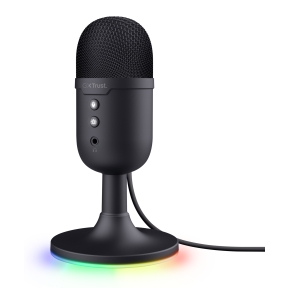

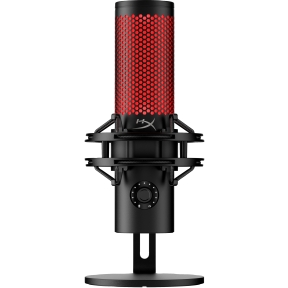


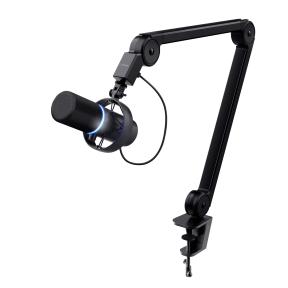


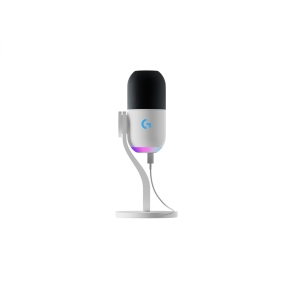

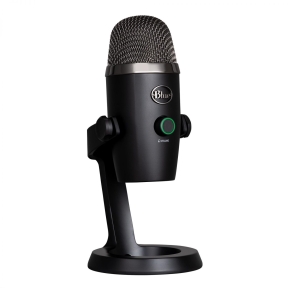


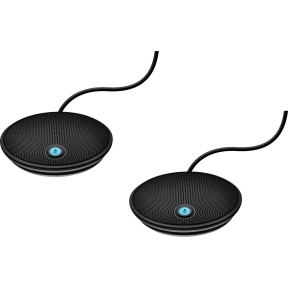
Microphones for podcasting, conferencing and recording
The microphone is the part of the chain that decides how a voice sounds on the other end. A high-end recording session and a low-end laptop microphone are barely the same product. The category covers microphones for the four main jobs: voice work for podcasts and broadcasting, music recording, video and film production, and meeting room conferencing.
What this category covers
USB microphones (plug-and-play for laptops and desktops, used for podcasting and home recording); XLR microphones (studio-grade, requiring an audio interface or mixer); condenser and dynamic types; lavalier (lapel) microphones for interviews; shotgun microphones for video and film; and conference room ceiling and table microphones for meeting room installs.
How to choose a microphone
Match the type to the job
Dynamic microphones (Shure SM7B, Rode PodMic) are robust, less sensitive to room acoustics, and the standard for radio and podcasting. Condenser microphones are more sensitive and capture more detail, used for music vocals and quiet voice work in treated rooms. Lavaliers are tiny clip-ons for video. Shotgun microphones pick up sound from one direction and reject the rest, used in film.
Pick the polar pattern
Cardioid (heart-shaped) is the most common: rejects rear noise, picks up the speaker. Omnidirectional captures everything around the microphone, used for ambient and room recording. Bidirectional (figure-8) captures front and back, used for two-person interviews. Most podcast and conferencing microphones default to cardioid.
USB or XLR?
USB microphones connect directly to a computer with no extra hardware, suitable for podcasting and home recording. XLR microphones need an audio interface or mixer; the upside is much higher quality and the ability to upgrade the interface and microphone separately. For serious recording or broadcast work, XLR is the right path.
For meeting rooms, plan ceiling or table microphones
Conference room microphones are usually ceiling-mounted (Shure MXA series, Sennheiser TeamConnect) or table-mounted in beamforming arrays. They cover the whole room without requiring participants to sit close to the microphone. The choice between ceiling and table depends on the room's acoustics and aesthetics.
Key features to compare
Sensitivity and self-noise
Quiet voice work and music recording reveal the microphone's self-noise floor; lower self-noise costs more. For podcasting and meeting rooms, mid-range models are quiet enough.
Built-in interface or external
USB microphones include their own audio interface; the quality is fine for most use but limits upgrade paths. External audio interfaces (Focusrite Scarlett, Universal Audio Volt) offer better preamps and more inputs.
Mounting
Stand-mounted desk microphones suit fixed home recording. Boom-arm mounted microphones swing in front of the speaker for podcasting. Lapel and headset microphones suit moving subjects. Conference room microphones mount in the ceiling or on the table.
What to check before buying
- Use case: podcast, music, video, conferencing or broadcast?
- USB plug-and-play, or XLR with audio interface?
- Polar pattern matched to the recording environment?
- For meeting rooms: ceiling, table, or wired-to-DSP install?
- Boom arm, stand or shock mount required for the desk setup?
Frequently asked questions
USB or XLR microphone for a starting podcaster?
USB is simpler, cheaper and produces broadcast-acceptable quality with current models (Shure MV7, Rode PodMic USB, Blue Yeti). XLR with a small audio interface gives more headroom and a clear upgrade path; the cost difference is moderate. For one-person podcasting starting out, USB is the practical choice; for multi-person recording, XLR with a multi-channel interface scales better.
Why does my microphone sound "echoey" in calls?
The microphone is picking up the room's reflections. Cardioid microphones reject some of the rear noise but a hard-walled room still echoes. Solutions: get closer to the microphone, add soft furnishings to the room, or use a dynamic microphone, which is less sensitive to the room.
Are condenser microphones better than dynamic?
Different, not better. Condensers capture more detail and need a quiet room with treated acoustics. Dynamics reject room noise and forgive untreated rooms. For podcast and broadcast, dynamics are the dominant choice; for music vocals in a studio, condensers; for live stage, dynamics.
Do I need a pop filter?
For voice work yes; pop filters block plosives (the air burst from "P" and "B" sounds) that distort the recording. They cost very little and are standard equipment for podcast and voice setups. Some microphones include built-in pop screens.
How are conference room microphones different from a USB desktop microphone?
Conference room microphones use beamforming or multi-element arrays to pick up several speakers around a table or in a room without anyone sitting close to a single microphone. They typically connect to a digital signal processor and a meeting room codec. A USB desktop microphone covers one speaker; a conference room microphone covers the room.