
Televisions
593 results
Televisions
593 results
Televisions and TV-related equipment for home, hospitality, office and meeting rooms: consumer and commercial TVs in common sizes, smart TV boxes that add streaming to older sets, TV mounts and stands for fixed and articulated wall mounts. Subcategories separate the TVs themselves from the mounting hardware and the smart-platform accessories.

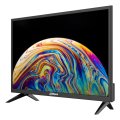

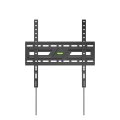

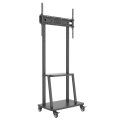
Loading...
Televisions and TV equipment for home, office and hospitality
Televisions sit in living rooms, hotel rooms, hospital wards, meeting rooms, reception desks, restaurants and shop fronts. The right TV depends much more on the install context than on the headline panel specs. The category brings together the TVs, the brackets that hold them and the small streaming boxes that turn an older TV into a smart one.
What this category covers
Consumer-class TVs from 32 to 85 inches in 4K and 8K with QLED, OLED and Mini-LED panels; commercial-grade TVs and signage displays for hospitality and shop-floor use; TV mounts in fixed, tilting, full-motion and recessed designs; and smart TV boxes (Apple TV, Google TV Streamer, Amazon Fire TV) that add streaming services and current OS updates to TVs whose built-in platform has gone stale.
Who this category is for
Hospitality buyers fitting hotel rooms; AV integrators equipping meeting rooms and reception areas; office and home-cinema buyers; and resellers who handle TV plus mount as a bundle.
How to plan a TV purchase
Decide consumer or commercial
Consumer TVs are designed for evening use of a few hours per day. Commercial TVs and signage displays are rated for 16 or 24 hours of daily operation, with management features and longer manufacturer warranty. For a hotel, restaurant or shop using TVs all day, commercial models are the right choice; for a home or office meeting room used a few hours a day, consumer is fine.
Pick the size for the room
Comfortable viewing distance is roughly 1.5 to 2 times the screen height; for a 65-inch TV that is 2 to 2.5 metres of seating distance. Sizing up gives a more cinematic feel; sizing too far up turns text and crowded content into a strain.
Specify the mount alongside the TV
The TV mount or stand is the part that decides whether the install looks finished or messy. Fixed mounts are cheapest and lowest-profile. Tilting mounts handle TVs above eye level. Full-motion mounts swing the TV out of the wall for shared rooms. Match weight rating and VESA (mounting standard) pattern.
Add a smart TV box if the platform matters
Built-in smart platforms on TVs slow down and lose app support over the TV's life. A small streaming box (Apple TV, Google TV Streamer) adds current OS updates and faster app performance, extending the TV's useful life by years.
Subcategories at a glance
TV's
Consumer and commercial televisions in common sizes, including QLED, OLED and Mini-LED panels.
TV Mounts & Stands
Fixed, tilting and full-motion wall mounts; floor-standing TV stands; ceiling drop mounts and recessed-in-wall designs.
Smart TV Boxes & Other Accessories
Streaming boxes that add or refresh smart features, plus universal remotes and small accessories.
What to confirm before ordering
- Consumer or commercial use?
- Screen size matched to seating distance?
- Mount type (fixed, tilt, full-motion) and VESA compatibility?
- Smart platform built-in or added externally?
- Warranty terms suitable for the install context?
Frequently asked questions
Should we buy QLED, OLED or Mini-LED?
OLED gives the deepest blacks and best contrast, ideal for dim viewing rooms; expensive at large sizes and has theoretical burn-in risk on static content (rare for normal viewing, real for signage). QLED and Mini-LED are LCD-based, brighter than OLED, no burn-in risk, and dominate in lit rooms. For most home and office TVs, QLED or Mini-LED are the safer choice; for cinema-grade home theatre, OLED.
How long does a TV last?
Consumer TVs last 7 to 12 years before backlight degradation or panel issues become noticeable. Commercial-rated TVs in 16 or 24-hour daily use last 5 to 8 years before similar wear. The OS and app support often goes stale earlier than the panel itself.
Do I need 8K?
For typical viewing distances and content available today, no. 8K content is rare; 4K is the de facto standard. Some 8K TVs upscale 4K content with little visible benefit. The premium for 8K rarely pays back in current use.
Is a TV mount really worth specifying separately?
Yes. The TV's included stand limits placement to a flat surface at one height. A wall mount frees the floor and lets the TV sit at the right viewing height. The mount cost is small compared to the TV's price and matters for years of comfortable viewing.
What is the difference between a smart TV and a smart TV box?
A smart TV runs the platform on the TV's built-in chip; that chip is fixed for the TV's lifetime and slows down as apps and platforms evolve. A smart TV box (Apple TV, Google TV Streamer, Amazon Fire TV) plugs into HDMI and runs its own up-to-date platform, replaceable when it becomes outdated. Combining a basic TV with a streaming box often gives a better long-term experience than a fully built-in smart TV.