
Video Surveillance
936 results
Video Surveillance
936 results
CCTV and access-control hardware for retail, warehouse, office and home installations: security cameras in IP and analogue formats, NVRs and DVRs for footage storage, network video components, access controllers and badge readers, plus the brackets, cables and small parts that complete a working surveillance install. Subcategories sort products by role for clean planning across new and retrofit jobs.

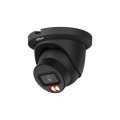




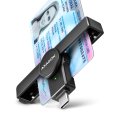

Loading...
Video surveillance and access control for retail, warehouse and office installs
Surveillance hardware sits behind the scenes in shops, warehouses, offices and increasingly homes: cameras at entrances and behind tills, NVRs in equipment cupboards recording footage, access controllers at doors. The category groups all these components under one section so an installer planning a new system or expanding an existing one finds matching parts in one place.
What this category covers
IP and analogue security cameras in dome, bullet, PTZ (pan-tilt-zoom) and turret formats; Network Video Recorders (NVRs) and Digital Video Recorders (DVRs); access controllers and electronic locks; RFID and biometric badge readers; surveillance components including PoE switches, junction boxes and BNC adapters; and a residual "Other" subcategory for items outside the main groups.
Who this category is for
Security integrators planning new CCTV installs; IT and facilities teams adding cameras to offices and warehouses; retailers protecting tills and stockrooms; and home and small-business buyers building light surveillance systems.
How to plan a surveillance install
Decide on IP or analogue
IP cameras are the modern default: high resolution, network-based recording, integration with software platforms, and easier expansion. Analogue HD-over-coax (TVI, AHD, CVI) is still used for retrofit jobs where the existing coaxial cabling is in place. New installs almost always go IP; retrofits sometimes start analogue and migrate.
Plan storage and retention
The retention period (how many days of footage are kept) drives storage size. A typical 4 MP IP camera at H.265 generates 5 to 15 GB per day depending on activity. Multiply by the number of cameras and the retention days to size the NVR (Network Video Recorder)'s drives. Build in margin for higher-activity weeks.
Specify cabling alongside cameras
PoE (Power over Ethernet) IP cameras run on a single CAT6 cable carrying both data and power. Analogue cameras need separate coax for video and power cable. Plan cable runs from the NVR or PoE switch to each camera; this is the install cost item that often surprises buyers.
Plan for access control alongside
Access controllers (electronic locks, badge readers, mag locks) integrate with surveillance for combined site security. Ordering them together with cameras and the management platform avoids software integration issues later.
Subcategories at a glance
Security Cameras
IP and analogue cameras in dome, bullet, PTZ and turret formats for indoor and outdoor use.
Access Controllers
Electronic locks, controllers and door-management hardware for offices, server rooms and restricted areas.
Readers
RFID, NFC and biometric badge and fob readers used at access-controlled doors.
Video Surveillance Components
NVRs, DVRs, PoE switches, junction boxes, brackets and the small parts that complete an install.
Other
Residual surveillance items that do not fit the main subcategories.
What to confirm before ordering
- IP, analogue, or hybrid install?
- Camera count, retention period and resulting NVR storage size?
- PoE switch and cable runs in scope?
- Access control integrated with surveillance?
- Compliance with local laws on recording and retention?
Frequently asked questions
Do I need a professional installer for a small surveillance system?
For a 2 to 4 camera home or small-office install, a competent DIY job with PoE cameras and an NVR works. For 8 or more cameras, outdoor cabling, integration with access control, or compliance with retention regulations, a professional installer's experience pays back; the cost is moderate and the result is much cleaner.
How long should we keep CCTV footage?
Most retail and office sites keep 30 days of footage; some industries require 90 days or more. Local data protection regulations cap the maximum retention. Specify the retention period before sizing the NVR's storage; doubling capacity later means a hard-drive swap and possibly a new NVR.
Will my cameras keep working in a power cut?
Only with a UPS protecting the NVR and PoE switch. Most surveillance installs include a UPS sized for at least 30 minutes of operation, enough to capture footage during the cut and gracefully shut down when the UPS battery runs low.
Can cameras work over Wi-Fi instead of Ethernet?
Some consumer cameras run on Wi-Fi alone, fine for low-stakes home use. Professional installs use wired PoE Ethernet for reliability; Wi-Fi connections fail or get crowded out at the worst moments. Wireless cameras are also more vulnerable to interference and signal disruption.
Are wireless or PoE cameras better?
PoE cameras run on a single CAT6 cable that carries both data and power, with reliable performance and clean install. Wireless cameras need power outlets at each location and Wi-Fi reception. For commercial and serious home installs, PoE wins on reliability and install neatness; wireless suits renters and quick installs only.