
Computers & Servers
1600 results
Computers & Servers
1600 results
This top-level group brings together every kind of computer in the catalog: notebooks for mobile work, desktops and all-in-ones for fixed workstations, mini PCs for compact installs, tablets for shop floor and field use, rack and tower servers for shared infrastructure, plus the components and accessories that keep the whole estate running through its refresh cycle.

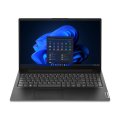



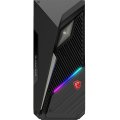


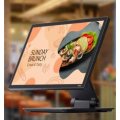
Loading...
Computers and servers for business, retail and home environments
Outfitting an office, a shop or a workshop with computing hardware is rarely a single decision. Each role gets a different device, the devices need to work together, and the whole estate refreshes on a rolling cycle. This top-level category groups every option side by side: notebooks for mobility, desktops and all-in-ones for fixed positions, mini PCs for compact installs, tablets for the shop floor or warehouse, rack and tower servers for shared infrastructure, and POS (Point of Sale) terminals for checkout zones.
Choosing devices for the people who actually use them
Notebooks as the default for most office staff
Modern offices increasingly default to notebook computers for almost every role, not just travelling staff. A notebook on a docking station with two external monitors, a separate keyboard and a mouse delivers the same desk experience as a desktop tower, with the option of taking it home, into a meeting room or to a customer site. The trade-off is a higher per-device cost and a shorter useful life because of battery wear.
Two-monitor setups, multiple paths
Two-monitor work does not require a desktop. A docked notebook with one external monitor gives a two-screen layout (laptop screen plus external). A docked notebook with two external monitors gives three screens. A desktop with two external monitors gives a true two-screen setup without a third. Pick the path that matches the user's mobility need, not what the spec sheet says is "standard".
When a desktop or workstation is still the better fit
Fixed-position roles where the user never carries the device, sustained heavy workloads (CAD, 3D rendering, large code compilations, long video exports) where a desktop's better thermals and upgrade headroom translate into faster runs, and shared kiosks where battery wear has no value, all map naturally to desktops or workstations. Notebooks can do the same work, just at a higher unit cost and shorter useful life.
All-in-ones, mini PCs and tablets in supporting roles
All-in-one PCs are tidy at receptions, classrooms and counter spaces where a tower would dominate. Mini PCs hide on a VESA (mounting standard) bracket behind a monitor for digital signage and clean office desks. Tablets cover stock-take, customer-facing demos, restaurant ordering and field service where a laptop would be too heavy.
When does an in-house server make sense?
For most companies under about 20 active users, cloud services and a NAS (Network Attached Storage) box cover shared workloads cheaper than buying, racking and maintaining a dedicated server. A server starts to pay back when the workload requires on-premise data for compliance, latency or dataset size, or when shared file storage outgrows what a NAS can serve smoothly. Above twenty users with custom line-of-business applications, a small tower or rack server becomes the cleaner answer.
Standardisation: one configuration, simpler ordering
Picking one notebook configuration and one desktop configuration for the bulk of the company makes ordering straightforward, simplifies imaging and helpdesk support, and lets repeat purchases land predictably. Mixing brands and configurations feels cheaper at the per-unit level but usually costs more once support load and image sprawl are counted. Reserve one or two power configurations for engineering, design and infrastructure roles; everyone else gets the standard.
Refresh cycles by device class
Different devices age at different rates. Plan refresh windows by class, not by device:
- Notebooks: 3 to 4 years (battery life and physical wear drive the decision)
- Desktops and all-in-ones: 5 to 6 years (performance drives the decision)
- Workstations: 4 to 5 years (software certification, not hardware, drives it)
- Servers: 4 to 5 years (support contract end is the practical trigger)
- POS terminals: 6 to 8 years (till software compatibility drives it)
Frequently asked questions
Should every employee get the same notebook?
Standardise within roles, not across the whole company. All office staff on one business notebook works; forcing engineering or design teams onto the same device usually slows them down. Three or four approved configurations is the practical middle ground.
Do small businesses need a server?
Often no. Cloud services and a NAS cover most needs up to roughly twenty users. A dedicated server starts to make sense when workloads must stay on-premise or when shared storage outgrows what a NAS can serve.
Can a notebook replace a desktop for daily office work?
Yes for almost every role, paired with a docking station, external monitor, keyboard and mouse. The notebook then doubles as a portable device when needed.
How does POS hardware fit alongside the rest of the estate?
Treat POS as a separate stack. POS hardware runs purpose-built till software, has its own refresh cycle, and rarely belongs on the same management platform as office laptops. The shared touchpoints are the network and the integration with back-office systems for stock and reporting.
Mini PC behind the monitor or a full desktop?
For browsing, documents, video calls and most office software a mini PC on a VESA (mounting standard) bracket gives the same experience as a desktop with no tower on the desk. For heavy graphics, large file work or upgrade headroom, a full desktop is still the better fit.