
Modems
5 results
Modems
5 results
Modems and related extension hardware for connecting offices and homes to internet services. The category covers cable and DSL modems for traditional service, fibre Optical Network Terminals (ONTs) for fibre-to-the-premises connections, and powerline adapters that extend a wired network through the building's electrical wiring without pulling new cable runs across multiple rooms.

Loading...





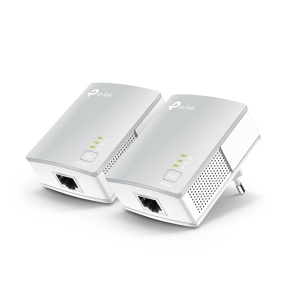
Modems for cable, DSL and fibre internet connections
The modem is where the internet service ends and the customer's network begins. Cable, DSL and fibre each use different modems, and the choice is usually constrained by the ISP's supported equipment list. The category also covers powerline adapters as a related way to extend a wired connection without new cable, useful where running Ethernet would mean drilling walls.
What this category covers
Cable modems for DOCSIS internet service, ranging from older DOCSIS 3.0 to current DOCSIS 3.1 and 4.0 hardware; ADSL and VDSL modems for DSL service; fibre Optical Network Terminals (ONTs) for FTTH installs; and powerline adapter pairs that turn a building's electrical wiring into a network extension.
Who this category is for
IT teams replacing rented ISP modems with owned hardware to avoid recurring fees; small business owners installing internet at a new site; and home users improving connection quality or coverage with their own modem and powerline gear.
How to choose a modem
Confirm ISP compatibility first
Each ISP publishes a list of supported modems for its service. Buying a modem outside that list usually means the ISP refuses to provision it. Check the list before ordering, especially for cable and DSL where the modem talks directly to the ISP's network.
Match the standard to the service tier
Cable: DOCSIS 3.0 supports up to about 1 Gbps; DOCSIS 3.1 supports multi-gigabit. DSL: ADSL2+ for up to 24 Mbps, VDSL2 for up to 100 Mbps, G.fast for up to 1 Gbps. Fibre: most ONTs are supplied by the ISP and not customer-owned.
Decide on modem-only or modem-plus-router
Some modems include built-in routers and Wi-Fi (gateway-style); others are pure modems that require a separate router. For business use, a pure modem in bridge mode behind a dedicated router is the cleaner approach. For homes, an all-in-one gateway is simpler.
Subcategories at a glance
Powerline Adapters
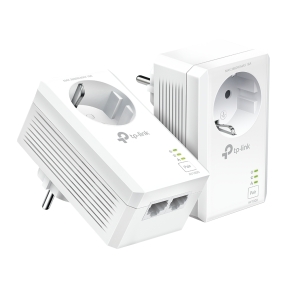
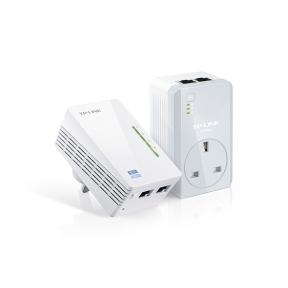
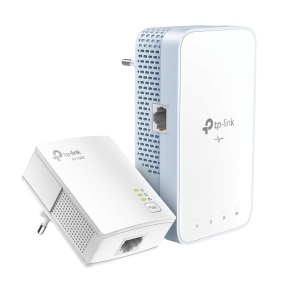
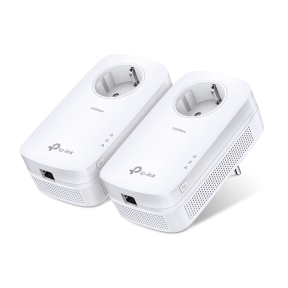
Pair-based devices that send Ethernet over the building's electrical wiring. Useful for extending a wired connection to a room without pulling cable. Speeds range from 200 Mbps on older units to 2 Gbps on current AV2-MIMO models, depending on the wiring quality.
What to confirm before ordering
- ISP and service type (cable, DSL, fibre)?
- Modem on the ISP's compatibility list?
- Service tier matched to the modem standard with margin for upgrades?
- Modem-only behind a dedicated router, or an all-in-one gateway?
- Powerline adapter pair if a wired extension to another room is needed?
Frequently asked questions
Do I need to buy my own modem if my ISP rents one?
Often yes. Owned modems pay back within 12 to 18 months versus rental fees, and avoid the surprise firmware updates that rented hardware sometimes receives. Check the ISP's supported list and confirm that buying outside it does not affect support.
What is the difference between a modem and a router?
A modem converts the ISP's signal (cable, DSL, fibre) to Ethernet. A router decides where Ethernet packets go between your network and the internet, applies firewall rules and shares the connection among multiple devices. Many ISP-supplied gateways include both functions in one box; business setups usually keep them separate for control.
How fast are powerline adapters in real use?
Headline speeds (1 Gbps, 2 Gbps) are theoretical and rarely achieved. Real throughput depends heavily on the building's electrical wiring, the distance between sockets, and other devices on the same circuit. Plan for 100 to 400 Mbps in typical homes, less if the wiring is older or heavily loaded.
Will a faster modem make my internet faster?
Only if the existing modem is the bottleneck. If the ISP's service is already provisioned at the modem's full rate, a faster modem makes no difference. Faster modems matter when upgrading the ISP service to a higher tier that the existing modem cannot support.
What is bridge mode and when should I use it?
Bridge mode disables the modem's built-in router and Wi-Fi, passing the internet connection through to a separate router. Use it when you have a dedicated business router behind the modem and want full control of routing, firewall and Wi-Fi from one device. Most ISP gateways support bridge mode as a configuration option.