
Notebook (SODIM)
38 results
Notebook (SODIM)
38 results
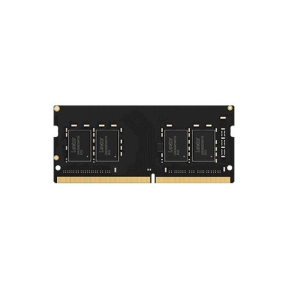
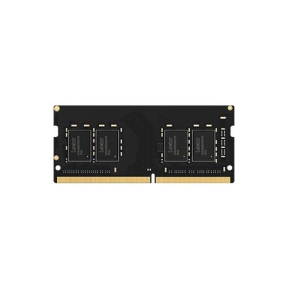
Small Outline DIMM (SODIMM) memory modules for notebooks, mini PCs and small form factor systems. The selection covers DDR4 and DDR5 SODIMMs in common capacities, both as single replacement modules and as matched dual-channel kits where the host has two slots. Listings show capacity, speed and CAS latency for direct comparison.
Loading...

Category overview
Notebook memory uses the smaller SODIMM (Small Outline DIMM) form factor and is not interchangeable with desktop DIMMs. Many notebooks have one or two slots, sometimes with one slot occupied and one free, which makes upgrading to dual channel one of the cheapest performance gains available.
What this category covers
DDR4 SODIMMs for notebooks released up to and including current platforms that retained DDR4, and DDR5 SODIMMs for newer notebooks and small form factor systems. Modules are organized by capacity and speed.
How to choose notebook memory
Confirm the notebook is upgradable
Some thin notebooks, particularly Ultrabooks and many Apple-branded systems, have memory soldered to the mainboard and cannot be upgraded. Check the manufacturer's specification page or service manual for the exact model before ordering.
Match the generation and speed
The notebook's existing module label or the manufacturer's specifications list the supported generation (DDR4 or DDR5) and the maximum speed. A faster module will usually run at the slower supported speed; a slower module will hold the system back.
Use both slots in pairs
If the notebook has two slots and one is empty, adding an identical second module enables dual channel and gives a noticeable bandwidth gain. If both slots are occupied with smaller modules, replace both with a matched kit at the desired total capacity.
Key features to compare
Capacity per module
Common notebook capacities are 8, 16 and 32 GB per SODIMM. The motherboard or notebook manufacturer lists the maximum supported per slot.
Speed and JEDEC profiles
SODIMMs typically run at JEDEC profiles without XMP or EXPO. The motherboard auto-detects the speed and applies the timings.
Voltage
Most current SODIMMs run at 1.2 V (DDR4) or 1.1 V (DDR5). Older 1.35 V modules exist for some platforms and are not interchangeable in newer notebooks.
What to check before buying
- Does the notebook actually have user-accessible memory slots?
- How many slots are present, and how many are already occupied?
- What is the maximum capacity and speed the model supports?
- Is the existing module DDR4 or DDR5, and at what voltage?
Frequently asked questions
Can I upgrade memory in any notebook?
No. Many thin notebooks have memory soldered to the mainboard and cannot be upgraded. Check the manufacturer's service manual or specifications page for the exact model. If memory is upgradable, it will be listed as a SODIMM slot count, sometimes with maximum capacity per slot.
How do I know what speed my notebook supports?
The notebook's specification sheet lists the supported memory generation and the maximum speed. The label on an existing module also shows its speed. The system will run new memory at the lower of the two: the module's rated speed or the platform's maximum.
Can I mix two different SODIMMs in one notebook?
Mechanically yes if both are the same generation. The system will run at the slower module's speed and timings, and may not enable dual channel if the capacities differ significantly. For best results, use a matched pair.
Will more RAM make my notebook faster?
If the existing memory is a bottleneck (frequent disk swapping, browser tabs reloading, slow virtual machines), more memory makes a noticeable difference. If memory use stays well below the installed amount, more RAM does not improve speed.
Does notebook memory wear out?
Memory chips themselves rarely wear out under normal use. Failures are more often caused by heat, voltage issues or mechanical damage from poor reseating. A notebook that becomes unstable under load is more likely to have a thermal or power problem than a memory wear issue.