
SSD
404 results
SSD
404 results
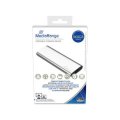
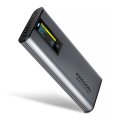
Solid State Drives (SSDs) for desktop, notebook and server installations, and external portable SSDs for travel and backup. The selection covers Non-Volatile Memory Express (NVMe) drives in M.2 and U.2 form factors, SATA SSDs in 2.5-inch form factor, and external Universal Serial Bus and Thunderbolt drives. Subcategories separate internal from external.


Loading...
Category overview
SSDs are the default storage for most modern systems. They have no moving parts, use less power than HDDs, and are much faster across both sequential and random workloads. Within the category, the form factor and interface decide which platforms a given drive can be installed in.
What this category covers
Internal NVMe SSDs in M.2 2280 form factor (the most common), high-capacity U.2 NVMe drives for servers and workstations, 2.5-inch SATA SSDs for upgrade and notebook use, and external portable SSDs over USB and Thunderbolt.
Who this category is for
System builders specifying boot and primary drives, IT teams provisioning fleet upgrades, content creators managing fast working datasets, and anyone replacing a slower HDD or older SSD with current storage.
How to plan SSD storage
Internal or external
Internal SSDs are faster, cheaper per gigabyte, and the default for system drives. External SSDs are flexible, easy to move between hosts, and protect data in transit. For working datasets that move with a notebook, external SSDs are the right choice; for system drives, internal.
NVMe or SATA
NVMe drives connect over PCIe and reach speeds several times higher than SATA SSDs. For new builds on platforms with M.2 slots, NVMe is the default. SATA SSDs are still the right upgrade path for older PCs and notebooks without M.2 support, and are usually cheaper per gigabyte.
Match endurance to write workload
Drive endurance is rated in Terabytes Written (TBW) or Drive Writes Per Day (DWPD). Consumer drives are sized for typical desktop use; data center drives are rated for much heavier sustained write workloads. For databases and write-heavy server workloads, choose data center drives even if the capacity figures look the same.
What to check before buying
- Is the form factor right for the host (M.2 NVMe slot generation, 2.5-inch SATA bay, U.2 backplane)?
- Does the workload need NVMe speed or is SATA enough?
- For NVMe: is the slot PCIe 3.0, 4.0 or 5.0, and does the drive's rated speed match it?
- Is the endurance rating sized for the actual write workload?
- Is a heatsink required for high-speed PCIe 4.0 or 5.0 NVMe drives?
Frequently asked questions
How long do SSDs last?
Modern consumer SSDs typically last well beyond their manufacturer warranty in normal use. Endurance is bounded by total bytes written; for a typical office workload, that limit is rarely reached. Server and database workloads, with heavier sustained writing, benefit from data center drives with much higher TBW figures.
Do SSDs slow down as they fill up?
Yes, especially above 80 percent full. Free space gives the drive's controller room to manage wear and write efficiently. Keeping at least 15 to 20 percent free, or using a drive larger than strictly needed, keeps speed and endurance steady over time.
Will I notice the difference between PCIe 3.0, 4.0 and 5.0 NVMe?
For everyday use, no. Booting, application launches and small file work look almost identical between generations. The difference appears in large file copies, video editing of high-bitrate footage, and data processing of large datasets, where the higher generations are clearly faster.
Should I worry about the heat from a fast NVMe drive?
Yes for high-end PCIe 4.0 and especially PCIe 5.0 drives under sustained load. Without a heatsink, the drive will throttle to protect itself. Many motherboards now include built-in M.2 heatsinks; aftermarket heatsinks are inexpensive and effective for cases that lack them.
Can I use an external SSD as a system drive?
For some operating systems and use cases, yes, but the connection (USB or Thunderbolt) becomes a single point of failure and can disconnect mid-use. For a permanent system drive, internal storage is more reliable. External SSDs work well for portable installations, repair drives and live operating systems.