
Keyboards & Mice
755 results
Keyboards & Mice
755 results
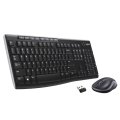
Keyboards, mice, numeric pads, presenters and pen-tablet input devices arranged together so a workstation refresh can be specified in one place. Listings cover connection type, layout, switch technology, ergonomic shape and sensor DPI, helping office IT and creative professionals select consistent input devices that match the keyboard layout and language standards used across the entire team.






Loading...
Category overview
Input devices are the parts of the build that get touched all day. The right keyboard and mouse, plus a stable surface and an appropriate pen if needed, have a bigger effect on daily comfort and productivity than the headline specifications suggest.
What this category covers
Office, productivity and gaming keyboards; standard, ergonomic and presenter mice; mousepads, desk pads and wrist rests; and digitizers and stylus pens used with pen displays and graphics tablets.
Who this category is for
IT teams equipping a fleet of office workstations, system builders finishing a new build, and individual buyers replacing worn input devices or upgrading to ergonomic models.
How to choose input devices
Match the device to the actual work
Heavy text input benefits from a full-size keyboard with a comfortable key feel. Spreadsheet and finance work justifies a separate numeric keypad. Creative work calls for a precise mouse and often a pen tablet. Gaming and competitive work has its own set of priorities around switch type, polling rate and weight.
Decide between wired and wireless
Wired devices remove battery management and pairing issues; wireless devices clean up the desk and travel better. Modern wireless mice and keyboards have low latency that suits most non-competitive use, especially with a dedicated USB receiver rather than Bluetooth alone.
Consider ergonomics from the start
Split keyboards, vertical mice and adjustable wrist rests reduce strain on long days at a desk. They take a few days to adapt to but pay back in comfort and reduced repetitive strain.
What to check before buying
- How many hours per day will the device be used, and for what kind of work?
- Is wired, wireless with receiver, or Bluetooth the right connection for the desk and host?
- Does the user already have ergonomic preferences, or is this a chance to switch?
- Will the device be shared between hosts (KVM, dock) and need multi-host pairing?
Frequently asked questions
Wired or wireless for office use?
Both work well. Wired removes batteries and pairing entirely, which suits shared desks. Wireless clears the desk and is easier to move with a notebook. Pick the connection that fits the desk environment more than the device specifications.
Should everyone in the office have the same keyboard and mouse?
Standardizing reduces support load and makes spares interchangeable, which is a real benefit for IT. Allowing individual choices for power users (developers, designers, finance) tends to pay back in productivity and comfort. A middle path, with a default kit and an approved upgrade list, works in most teams.
Do mechanical keyboards last longer than membrane ones?
Mechanical keyboards typically last tens of millions of keypresses per switch, well beyond a typical office membrane keyboard. The trade-off is higher cost and, depending on the switch, more noise. For heavy typists, the longer life and key feel often justify the price.
Why do my wireless devices have lag sometimes?
Two common causes: a busy 2.4 GHz environment with many wireless devices, or a low battery. Move the receiver to a closer USB port (a short extension helps), avoid USB 3.x ports next to the receiver if possible, and replace or recharge the battery when the indicator drops.
What is a digitizer used for?
Digitizers and stylus pens are used with pen displays, graphics tablets and pen-enabled notebooks for drawing, annotation, digital signatures and precise selection. They give pressure sensitivity and finer control than a mouse for any kind of freehand work.