
Smart TV Boxes & Other Accessories
11 results
Smart TV Boxes & Other Accessories
11 results
Streaming devices and TV accessories that refresh or extend a television: Apple TV, Google TV Streamer, Amazon Fire TV and Roku boxes; HDMI streaming sticks; universal remote controls; CI+ modules and conditional-access cards for broadcast TV; and small accessories like extension cables and IR receivers for TV-related installs in cabinets, recessed locations and shared rooms across home and office.
Loading...


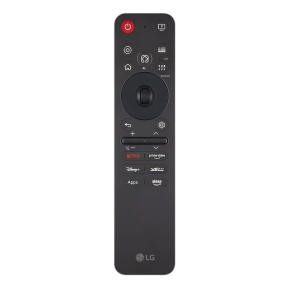
Smart TV boxes and accessories to refresh and extend a television
The smart platform built into a TV is fixed for the TV's lifetime. After a few years, app support starts to drift: streaming apps update for newer hardware, the platform slows, and missing features become noticeable. A small streaming box restores current platform support without replacing the TV. Universal remotes and CI+ modules cover the rest of the TV-adjacent ecosystem.
What this category covers
Apple TV (4K and HD), Google TV Streamer, Amazon Fire TV (Stick and Cube), Roku Streaming Stick and Ultra; less-known Android TV boxes; CI+ modules for conditional-access broadcast TV (paid TV cards); universal remote controls (Logitech Harmony, SofaBaton); HDMI extension cables and IR repeaters for cabinet-installed TVs.
How to choose a streaming box
Match the box to the household's services
Apple TV is best for users embedded in the Apple ecosystem (iCloud, AirPlay, Apple Music) and offers the smoothest interface with no built-in advertising. Google TV / Chromecast suits Google ecosystem users (YouTube, Google Photos, Android phones) and is cheaper. Fire TV ties into Amazon Prime Video and Alexa. Roku is the most platform-neutral, with the broadest app catalogue and entry pricing.
Pick 4K or HD
For TVs that support 4K, choose a 4K-capable streaming box; the difference shows on Netflix premium tiers, Apple TV+ and 4K Blu-ray rips. HD-only boxes are fine for older 1080p TVs and cost less. HDR support matters for HDR-capable TVs.
Confirm the platform's app support
Major apps (Netflix, Disney+, Amazon Prime Video, YouTube) are present on every platform. Niche apps (local broadcasters, regional services, sports apps) may be available on some platforms and not others. Check the platform's app catalogue before settling.
For broadcast TV, check CI+ requirements
Some pay-TV providers in Europe deliver content via CI+ modules that slot into a TV's CI slot. Confirm with the provider whether a CI+ module is needed and whether the TV has the right slot.
Other TV accessories
Universal remotes
A universal remote (Logitech Harmony, SofaBaton) controls the TV, soundbar, streaming box and AV receiver from one device. The setup time is real (programming each device) but the daily benefit is one remote on the table instead of four.
HDMI extension and IR repeaters
For TVs in recessed cabinets or behind doors, HDMI extension cables and IR repeaters route signals to the TV without exposing it. Specify cables rated for the resolution and refresh rate the install needs.
What to check before buying
- Which streaming services does the household actually use?
- 4K and HDR capability matched to the TV?
- CI+ module needed for broadcast or pay-TV?
- Universal remote: setup time worth the daily benefit?
- Cable lengths and ratings for the actual install?
Frequently asked questions
Do I need a streaming box if my TV is already smart?
For a TV less than two years old with a current platform, usually not. For older TVs (4 to 6 years and beyond), a streaming box noticeably improves the experience: faster apps, more services, current OS updates. The cost is small relative to replacing the TV.
Apple TV or Google TV Streamer?
Apple TV is more polished, ad-free in the interface, and integrates cleanly with iPhones and iPads. Google TV Streamer is cheaper, more flexible across services, and integrates with Android. Pick by which ecosystem the household already uses; both produce excellent streaming for the major services.
Are Fire TV and Roku as good as Apple TV?
For raw streaming, yes; the major apps perform well on all four. The differences are interface (Apple TV is the most polished), advertising in the home screen (Fire TV most, Apple TV none), and app catalogue depth (Roku is broadest). For most viewers, any of the four is more than adequate.
Will a streaming box work with any TV?
Any TV with a free HDMI input and a power outlet nearby. The TV does not need to be smart; the streaming box runs the platform. Older TVs without HDMI need adapters and lose 4K capability.
What is a CI+ module?
CI+ (Common Interface Plus) is a slot on European TVs that accepts a small module from a pay-TV provider. The module decodes encrypted broadcast content. For viewers who want to skip an external set-top box, CI+ provides a cleaner integration; some providers require it, others offer it as an alternative to a separate box.