
Projector Mounts
16 results
Projector Mounts
16 results
Mounting hardware for projector installation: ceiling drop mounts with adjustable extension, fixed wall mounts for short-throw projectors, articulated arms for ultra-short-throw installs, and portable trolleys for events. Listings show maximum projector weight, drop length and tilt and yaw adjustment range so the mount fits both the room and the projector.
Loading...


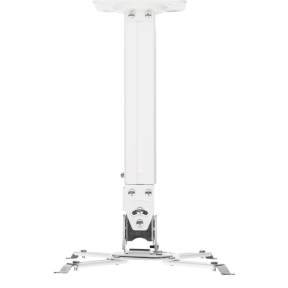

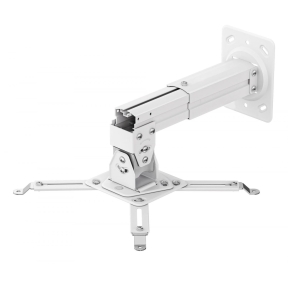

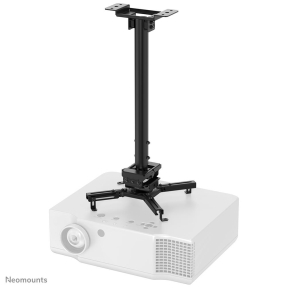
MPN: CL25-540BL1
Neomounts CL25-540BL1 Beamer ceiling mount - h 60,5-90,5 cm - easy-install - full motion
Ceiling
MPN: CL25-540BL1
Neomounts CL25-540BL1 Beamer ceiling mount - h 60,5-90,5 cm - easy-install - full motion
Ceiling
Ceiling, wall and portable mounts for projector installation
The mount is the part of a projector install that nobody notices when it works and everybody notices when it doesn't. A bad mount means a misaligned image, vibration during operation and an awkward service experience the first time the lamp needs replacing. The right mount fits both the projector and the install method, with smooth fine-tune adjustment after the projector is up.
The mount styles that cover most rooms
Ceiling drop mounts in fixed and adjustable extension lengths; flush ceiling mounts where ceiling height is tight; fixed wall mounts; articulated arm mounts for short-throw and ultra-short-throw projectors; and portable trolleys with shelves for events and shared rooms.
How to choose a projector mount
Match the weight rating
Every mount lists a maximum projector weight. Confirm the projector's actual weight (with cabling) is comfortably below that limit; a 10 kg projector on a 12 kg-rated mount works but leaves no margin for adjustment hardware or the occasional bump. For projectors above 10 kg, look for heavy-duty mounts rated for 15 to 25 kg.
Confirm the projector's mounting holes
Most mounts include a universal plate with adjustable arms that grip the projector's bottom mounting holes. Some unusual projector layouts need a specific mount; the manufacturer's accessory list is the authoritative reference.
Pick the drop length to fit the room
Ceiling drop mounts come in fixed and adjustable extension lengths from 10 cm to 1 metre or more. Choose so the projector's lens centre lines up with the screen's vertical centre at the throw distance the projector specifies. For high-ceiling rooms, telescopic extension columns avoid the need for cut-to-length pipework.
Plan service access
Lamp replacement and air filter cleaning are easier when the mount tilts or lowers the projector for service. Cheap mounts hold the projector rigidly; better ones offer service-tilt or quick-release that lets a technician access the projector without dismantling the mount.
Key features to compare
Adjustment range
Tilt (front-back), yaw (left-right) and roll (rotation) micro-adjustments. Look for separate locking screws so each axis can be set without disturbing the others. Fine-thread adjustment is much easier than coarse during install.
Cable management
A pass-through pipe or cable channel keeps the High-Definition Multimedia Interface (HDMI), network and power cables tidy down the drop. Without it, the install looks unfinished even when the projector is perfectly aligned.
Security
Locking plates and security screws prevent casual theft and accidental removal in shared and educational spaces.
What to check before buying
- Projector weight (with cables) within the mount's rated capacity?
- Drop length suitable for the room's ceiling height and throw distance?
- Universal plate fits the projector's mounting hole pattern?
- Service-tilt or quick-release for lamp replacement?
- Cable management and security features for the install?
Frequently asked questions
How do I find the right drop length for a ceiling mount?
Measure from the ceiling to the desired projector lens height. The drop length is that distance minus the projector's own height. For a 3-metre ceiling and a projector lens that needs to sit 2.4 metres from the floor, a drop length of about 35 to 45 cm fits, depending on projector body height.
Are universal projector mounts really universal?
Most are universal across mainstream projectors with standard four-point mounting holes. Some compact and ultra-short-throw projectors have non-standard hole patterns and need a model-specific mount or an adapter plate. Check the projector's accessory list before assuming a generic mount fits.
Can I install a projector mount on a suspended ceiling?
Suspended ceiling tiles cannot support a projector. The mount needs to be anchored to the structural ceiling above the suspended tiles, with a drop pipe passing through. Specify a longer drop length to account for the gap between structural and suspended ceiling, and confirm the structural ceiling can support the load.
Why is image alignment hard with a cheap mount?
Cheap mounts often use a single locking screw across multiple axes; tightening one tilts the others. Better mounts have separate locking screws per axis with fine-thread adjustment. The cost difference is small compared to the install time saved during alignment.
Do I need a security mount in a school or shared space?
For schools and shared meeting rooms, yes. Security plates and tamper-resistant screws prevent the projector from being detached and walked away. The same applies to mounts in display areas accessible to the public, such as museums and exhibitions.