
Desktops & Workstations
139 results
Desktops & Workstations
139 results
Desktops and Workstations are non-portable personal computers built around a tower, small chassis or All-in-One screen, and powered from a wall outlet rather than a battery. The section is split into standard Desktop towers, All-in-One PCs with the computer hidden behind the display, and compact Mini PC and small-form-factor boxes for low-footprint installations on a tidy office desk.



Loading...
Desktops and workstations overview
Desktops and workstations are non-portable personal computers that sit on or under one desk, powered from the wall rather than a battery. They are the right choice for users who work from one place every day and value upgradeability, repairability and sustained performance over portability. The category groups the three formats most office and engineering teams actually buy: tower desktops, all-in-one PCs and mini PCs.
This page is the entry point for buyers comparing those formats before drilling into a specific one. Pricing, brand selection and exact configurations live in the subcategories.
How to choose between desktop, all-in-one and mini PC
Tower desktop: maximum performance and upgradability
The classic full-size PC. Separate case, replaceable parts, room for high-power CPUs and discrete graphics cards. Best for engineering, design, video editing, software development and any role that benefits from sustained power. Easiest format to repair and upgrade through its life. Trade-off is desk space and a separate monitor.
All-in-One: clean desk, integrated display
Display and computer in one chassis, often with a stand and a wireless keyboard and mouse. Best for reception desks, meeting rooms, retail back offices and any space where a tower would clutter the desk. Trade-offs are limited upgradeability, a fixed display size, and slightly higher service cost when the panel and the PC are joined.
Mini PC: compact and quiet
Small chassis (Intel NUC, branded mini PCs) that mount behind a monitor or sit on the desk. Strong fit for office and information-worker roles where portability is not needed but desk space is. Modern mini PCs handle office work, video calls and most creative tasks comfortably. Heavier workloads (3D rendering, simulation, multi-GPU) still go to towers.
Workstation tier
Workstations are towers (and sometimes mini-towers) built for engineering, CAD, simulation, scientific computing and content creation. They offer ECC (Error-Correcting Code) memory, certified workstation graphics, more memory and storage capacity, and ISV-certified driver support. They cost more than office desktops and pay back when the user spends the day in CAD, finite element analysis, video grading or similar professional applications.
Subcategories at a glance
Desktops
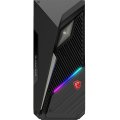
Standard desktop towers and mini-towers, including business desktops, performance and gaming desktops, and workstation-class towers. The high-power, high-upgradeability option.
All-in-One PCs
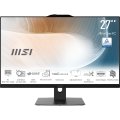
Computer integrated with the display in one chassis. Office, reception, retail and meeting room machines.
Mini PCs and NUC
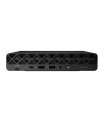
Small form factor desktops, including Intel NUC, branded mini PCs and silent fanless designs for kiosks and digital signage.
What to confirm before ordering
- Workload: office and email, creative, engineering, or specialist role?
- Single user at one desk, or several users sharing a hot desk?
- Available desk space and existing displays?
- Expected service life: three years, five years, or longer?
- Imaging, asset management and manufacturer warranty requirements for the fleet?
Frequently asked questions
Is a mini PC enough for office work today?
For typical office work (browser, email, productivity, video calls), yes. Modern mini PCs match the performance of mid-range desktops from a few years ago and are quieter and smaller. Heavier workloads (large datasets, 3D content, virtualisation) still benefit from a tower with more cooling headroom.
Should we buy desktops or move everyone to notebooks?
Most fleets standardise on notebooks for flexibility, with desktops for users who never leave their desk. Roles that benefit from a desktop: developers and engineers wanting more power per dollar, reception and shared-desk roles where a fixed machine simplifies management, and creative roles needing certified workstation hardware.
What is the difference between a workstation and a high-end desktop?
Workstations add ECC memory support, more memory channels, certified workstation GPUs (Quadro, Radeon Pro), ISV-certified drivers for engineering and CAD software, and longer-running platform support. A high-end desktop with consumer-class parts can match raw speed for many tasks but lacks the certifications and reliability features that workstation-only software depends on.
How long should we plan to keep a desktop in service?
Office desktops are typically planned for four to six years; workstations for five to seven years with possible mid-life upgrades to memory and storage. Past that, performance against modern software starts to drag and the support tail gets thinner. Tower desktops give more options to extend through component upgrades; all-in-ones and mini PCs are more often replaced wholesale.
Do desktops still need traditional hard drives?
For working storage, no; SSDs are the default. HDDs still appear as bulk-storage second drives in workstations and creative machines that hold large media libraries. For office desktops, a single SSD covers everything most users need.