
Networking
1196 results
Networking
1196 results
Active and passive networking hardware for offices, branch sites and data centres. The category groups routers and bridges, switches, wireless access points, modems and powerline adapters, network adapter cards, structured cabling, optical transceivers and the media converters that tie copper and fibre segments together. Subcategories follow how a network is built layer by layer.

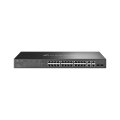
Hubs & Switches


Bridges & Routers


Wireless

Modems

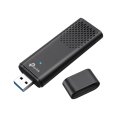
Network Adapters (NIC)

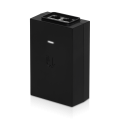
Transceivers & Multiplexers


Network Cabling
Loading...
Networking equipment for offices, branch sites and data centres
This section gathers the hardware that moves bytes between computers, between buildings and out to the internet. The structure follows the way a network is actually built: an internet drop and modem at the edge, routers and switches in the wiring closet, access points spreading wireless coverage, and cabling and transceivers tying it all together.
What this category covers
Routers and bridges for site-to-site and internet edge use; managed and unmanaged switches for access and distribution layers; modems for cable, DSL and fibre service; wireless access points and their controllers; network adapter cards (NICs) for desktops, workstations and servers; copper and fibre cabling; and the optical transceivers and media converters that convert between physical layers.
Who this category is for
IT teams equipping offices and small data centres; integrators rolling out branch and retail networks; education and hospitality sites covering large public spaces with wireless; and individual buyers replacing or upgrading home and small-business networking equipment.
How to plan a network refresh
Start with the actual traffic
Most network refresh decisions are over-specified for the actual load. Measure or estimate peak throughput per device, total concurrent users and the kinds of traffic (web, video, file shares, voice) before specifying gigabit, 2.5 GbE, 10 GbE or higher. Most office desks are still well-served by gigabit; uplinks and server connections are where higher speeds pay off first.
Plan the layers
A typical small-to-medium office runs an internet edge router, a core switch in the wiring closet, access switches at each network point, and wireless access points for laptops and mobile devices. Each layer has its own selection criteria; mixing layers (for example, using a router as a switch) usually causes problems sooner or later.
Specify cabling for the long term
Cabling outlives the active equipment by a decade or more. Specifying Category 6A copper or single-mode fibre as the structured backbone is cheaper today and avoids re-pulling cable when the network speed standard moves up.
Plan management before you buy
Unmanaged equipment is cheaper to buy and harder to operate at scale. Managed switches, controller-managed access points and central network management software pay back as soon as the network has more than a handful of devices.
Subcategories at a glance
Bridges and Routers
Edge and branch routers, point-to-point bridges and other layer-3 hardware that routes traffic between networks.
Hubs and Switches
Access, distribution and core switches in managed and unmanaged variants, with PoE options for powering APs and IP cameras.
Modems
Cable, DSL and fibre modems for internet service, with powerline adapters as the related extension subcategory.
Network Adapters (NIC)
PCIe and USB network cards in 1, 2.5, 10 and 25 GbE speeds for adding or upgrading host network ports.
Network Cabling
Patch leads, bulk cable, keystones, faceplates and the cable management hardware behind a tidy install.
Transceivers and Multiplexers
SFP, SFP+ and QSFP optical and copper transceiver modules, plus media converters and multiplexers for fibre links.
Wireless
Indoor and outdoor wireless access points, controllers and the antennas and mounting accessories that complete a deployment.
What to confirm before ordering
- How many users, devices and locations does the network serve?
- What real throughput does the busiest segment need now and in three years?
- Managed or unmanaged, and what management tooling is already in place?
- Cabling already pulled, or part of this project?
- Wireless coverage requirements: indoor only, outdoor, or both?
Frequently asked questions
Do I need 10 GbE for an office network?
For desks, almost never. Gigabit is still adequate for office work, web and most video calls. 10 GbE pays off first on uplinks between switches, server-to-switch connections and high-throughput workstations (video editing, design, scientific work). Plan 10 GbE on the backbone and gigabit at the desk unless there is a specific reason to do otherwise.
Managed or unmanaged switches?
Unmanaged switches are cheaper, plug-and-play, and fine for very small networks under ten devices. Managed switches add VLANs, port-level monitoring, PoE control, link aggregation and security features that are essential as soon as the network grows. For business use, managed is the default; the cost difference is small over the equipment's life.
Wired or wireless for the office?
Both, in different roles. Wired connections (gigabit Ethernet) are still faster, more reliable and lower-latency than the best wireless. Wireless gives mobility and flexibility for laptops, tablets and visitors. A typical office has wired drops at every desk and wireless covering meeting rooms and shared spaces.
What is the difference between a router, a switch and a bridge?
A router moves traffic between separate networks (typically your LAN and the internet) and applies routing decisions, NAT and firewall rules. A switch moves traffic between devices on the same network with layer-2 (MAC) addressing. A bridge connects two network segments at layer 2; modern bridges are most commonly point-to-point wireless links between buildings.
Should I install fibre or copper for new cabling?
For runs under 100 metres at typical speeds, Category 6A copper is cheaper and easier to terminate. For longer runs, between buildings, or where 25 to 100 GbE is planned, single-mode or multimode fibre wins. Most new commercial installs use copper to the desk and fibre between buildings or floors.