
POS Accessories
65 results
POS Accessories
65 results
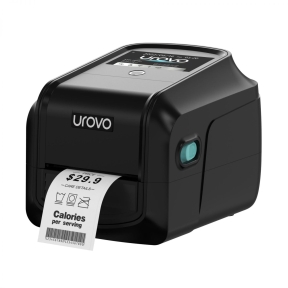
POS (Point of Sale) accessories are the supporting peripherals around a checkout terminal: receipt printers that issue thermal receipts, label and ticket printers, cash drawers, mounting arms, customer-facing displays and similar smaller items. The section also covers consumables such as till rolls and replacement covers. Each product lists its connection method (USB, serial, Ethernet or Bluetooth) for fast integration.
Loading...










POS (Point of Sale) accessories
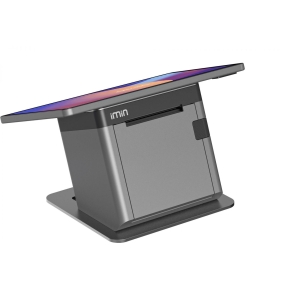
POS accessories are everything around the till terminal that turns a touchscreen running till software into a working checkout: receipt printers, cash drawers, barcode scanners, card payment terminals, customer displays, mounting arms, cables and the consumables that wear out under daily use.
What this category covers
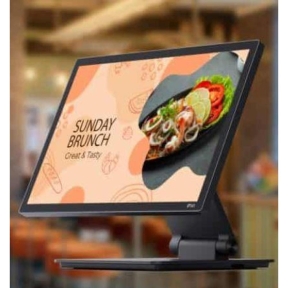
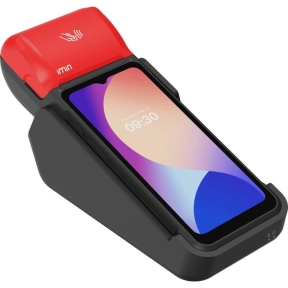
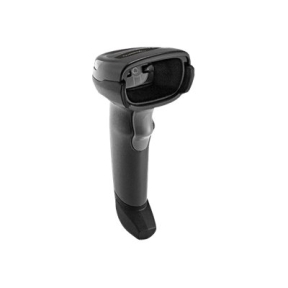
Thermal receipt printers and dot-matrix kitchen printers; cash drawers in different sizes and connection types; handheld and presentation barcode scanners; card payment terminals and PIN pads; customer-facing displays; mounting arms, brackets and pole stands; and the cables, paper rolls and ribbons used as consumables.
How to plan POS accessories
Match the receipt printer to the workflow
Thermal receipt printers are the modern default for cash receipts: fast, quiet and use thermal paper rolls. Dot-matrix impact printers are still common for kitchen receipts in restaurants, where heat from the kitchen can fade thermal paper, and where multi-part carbonless paper is sometimes needed. The choice is workflow-driven; a hospitality till usually needs both.
Choose the cash drawer connection
Cash drawers connect either to the receipt printer (RJ-11/RJ-12 cable, opened by a printer command) or directly to the terminal (USB or serial). Printer-driven cash drawers are slightly cheaper and tied to the printer's life; terminal-driven drawers stay independent. Match the cash drawer size to the till bill and coin layout the business uses.
Pick the right barcode scanner format
Handheld scanners on a stand suit general retail. Presentation scanners (palm-sized, sit on the counter, scan as items are passed over) are faster for high-volume tills. Long-range scanners help in warehouse and stockroom roles. 2D imagers (capable of QR codes, DataMatrix, mobile coupons) are the modern default; 1D laser scanners are still cheaper for plain retail barcodes.
Plan card payment integration
The acquirer (the bank or processor) supplies certified card payment terminals; the merchant rarely picks the brand. The integration with the till software is published by the acquirer and the till software vendor. Plan a back-up: a second terminal stocked elsewhere, or a fallback to mobile/manual procedures, so a single failed payment terminal does not stop trade.
Stock consumables before they run out
Receipt paper rolls, dot-matrix ribbons, scanner triggers and printer cutters are consumables. Stock at least one month's worth at each branch and keep a top-up trigger in the inventory system; running out of receipt paper during a busy Friday night damages customer experience and is entirely avoidable.
What to check before buying
- Receipt format: thermal, dot-matrix kitchen printer, or both?
- Cash drawer size and connection method?
- Barcode scanner: handheld, presentation, or long-range?
- Card payment terminal model approved by the acquirer?
- Mounting plan: counter-top, pole stand, monitor arm?
- Consumable stock plan and re-order trigger?
Frequently asked questions
How long does thermal receipt paper last?
Thermal receipts fade over time: typically two to seven years stored away from heat and light, much shorter when exposed to sunlight or kept in a hot car. For receipts that need long-term retention (manufacturer warranty, returns), keep a digital copy or use higher-grade thermal paper rated for archival use.
Can one barcode scanner read both 1D and 2D barcodes?
2D area imagers can read both 1D and 2D barcodes (including QR codes, DataMatrix, mobile coupons). 1D laser scanners only read 1D barcodes. For new purchases, 2D imagers are the modern default and only modestly more expensive.
Why do cash drawers connect through the receipt printer?
Cash drawers do not have computing logic; they need an external command to release the latch. Routing through the receipt printer (a feature called drawer kick) is cheap and standard. The printer sends a current pulse on the drawer cable to open the drawer, usually triggered by the till software at the end of a transaction.
Are wireless barcode scanners worth the extra cost?
For tills where the cashier stays at the counter, wired scanners are simpler. For furniture, larger goods or warehouse picking where the scanner has to come to the item, wireless scanners earn the price difference. Battery life and charging cradle placement matter; specify both.
Do customer-facing displays really help?
Yes for transparency: the customer sees the item, the price and the running total as they are scanned, which reduces disputes. Many countries also require visible pricing at the till for consumer protection; a customer display covers that requirement cleanly.