
Memory (RAM)
191 results
Memory (RAM)
191 results
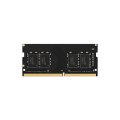
Random Access Memory (RAM) modules for desktop, notebook, workstation and server platforms. The category covers DDR4 and DDR5 memory in common capacities and speeds, with consumer, workstation and server-class kits. Subcategories separate desktop DIMMs from notebook SODIMMs so the form factor matches the host before specifications such as speed, latency and ECC (Error-Correcting Code) support are compared.


Loading...
Category overview
Memory affects how much work a system can hold in flight: open applications, browser tabs, virtual machines, large datasets. The right capacity and speed is more important than the brand on the heatspreader, and compatibility depends on the platform.
What this category covers
Desktop and workstation DIMMs in DDR4 and DDR5, notebook SODIMMs for the same generations, and server kits with Error-Correcting Code (ECC) and registered or load-reduced configurations. Subcategories sort by form factor.
How to choose memory
Confirm the platform's memory generation
DDR4 and DDR5 are not interchangeable, and the slots are keyed differently to prevent installing the wrong type. Check the motherboard manual or the existing module's label before ordering replacements or an upgrade.
Pick capacity for the workload
16 GB suits everyday office work and light development. 32 GB covers heavier multitasking, virtual machines, and most creative software. 64 GB and above are common for engineering, simulation, large datasets and databases.
Match speed to what the platform supports
The motherboard, CPU and module all need to support a given speed, or the system runs at the lowest common rate. The motherboard's QVL lists tested kits at their advertised speeds. Faster than supported usually drops back to a slower JEDEC profile.
Key features to compare
Capacity and module count
Two matched modules in dual channel are faster than a single larger module on most platforms. Some platforms support quad channel with four matched modules. Mixed kits often work but may run at lower speeds.
ECC and reliability
ECC memory corrects single-bit errors silently and is the right choice for servers, workstations running long simulations and any system handling critical data. ECC support requires both the CPU and the motherboard to enable it.
What to check before buying
- Is the platform DDR4 or DDR5, and is the form factor DIMM (desktop) or SODIMM (notebook)?
- What is the maximum module size the motherboard supports per slot?
- Does the workload benefit from larger capacity or higher speed?
- Is ECC required, and does the platform support it?
Frequently asked questions
Can I mix different RAM kits?
Mechanically yes, but the system runs all modules at the lowest common speed and timings, and stability is not guaranteed. For best results, buy a matched kit sized for the eventual capacity, or replace all modules together.
How much RAM is enough?
16 GB is a comfortable minimum for current office work, 32 GB suits heavier multitasking and creative software, and 64 GB or more is standard for engineering, simulation and virtualization workloads. Servers and database hosts often start at 128 GB or higher.
Does faster RAM make a noticeable difference?
For most office work, the difference between baseline and high-speed memory is small. Workloads that depend on memory bandwidth (some games, simulation, content creation) see clearer gains. The main rule is to use a speed the platform actually supports.
What is the difference between ECC and non-ECC memory?
ECC adds an extra chip per module that corrects single-bit errors transparently. It is required for systems that must run for long periods without silent data corruption, such as servers and engineering workstations. Most desktop platforms do not support ECC.
Why does my new RAM run slower than advertised?
Memory often boots at a JEDEC default speed and only reaches the rated speed once an XMP or EXPO profile is enabled in the BIOS. Some modules also fall back to a lower speed if the motherboard or CPU does not support the advertised rate.