
Storage
1284 results
Storage
1284 results
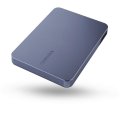
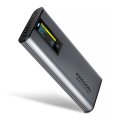
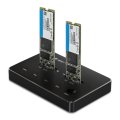
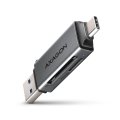
Storage devices for desktop, notebook, workstation and server use: internal Solid State Drives (SSDs), Hard Disk Drives (HDDs), external drives, USB flash sticks and memory cards with their readers. Subcategories separate the main media types so capacity, interface and form factor are compared within the right group rather than across very different products.






Loading...
Category overview
Storage decisions affect speed, capacity, durability and price in different proportions depending on the medium. Modern builds usually mix a fast Solid State Drive for the operating system and active data with larger Hard Disk Drives or external storage for archives and backups.
What this category covers
Internal SSDs in M.2 NVMe and 2.5-inch SATA form factors, internal and external HDDs, portable SSDs and HDDs, USB flash sticks, memory cards and the readers used with them. Subcategories sort by medium so the right options stay together.
Who this category is for
System builders, IT teams provisioning fleets, content creators who manage large datasets, and anyone replacing a failing drive or expanding the storage capacity of an existing system.
How to plan storage
Think in tiers
A typical layout is: a fast SSD for the operating system and active applications, a larger SSD or HDD for working datasets, and external storage or network storage for backups and archives. Each tier can be sized and budgeted separately, which usually gives better value than buying one very large fast drive.
Match the interface to the workload
NVMe SSDs reach speeds that matter for video editing, large file copies and database work. SATA SSDs are still excellent for everyday use and far faster than HDDs. HDDs remain the right choice for bulk storage at low cost per gigabyte.
Plan capacity with margin
Drives slow down and wear faster when filled close to capacity. Aim to keep free space at 15 to 20 percent or more on SSDs, and on HDDs to leave room for fragmentation and future growth. Buying one tier larger than the immediate need is often cheaper than upgrading later.
What to check before buying
Frequently asked questions
How much faster is NVMe than SATA SSD in everyday use?
For boot times, application launches and small file work, the difference between a SATA SSD and an NVMe SSD is small. For large file copies, video editing and database workloads, NVMe is several times faster. The price difference between the two has narrowed enough that NVMe is the default choice on supported systems.
Are HDDs still worth buying?
Yes, for bulk storage. The cost per gigabyte for HDDs remains much lower than for SSDs above a certain capacity. For backups, archives, video libraries and any workload that does not need fast random access, HDDs are still the practical choice.
What is the difference between consumer and enterprise drives?
Enterprise drives are rated for 24/7 operation, higher write workloads, and longer manufacturer warranty periods. They cost more but pay back in environments with sustained, mixed read and write loads. Consumer drives are tuned for typical desktop use and shorter active hours.
Do I still need to back up an SSD?
Absolutely. SSDs do not fail mechanically the way HDDs can, but they fail electronically, often suddenly. The reliability of any single drive is no substitute for a backup. The 3-2-1 rule (three copies, on two media, one off-site) still applies regardless of media type.
Will a faster SSD make my old computer faster?
Replacing an HDD with any SSD is the single biggest perceived speed upgrade for an older computer. Replacing a SATA SSD with NVMe in an old computer brings smaller gains, since the bottleneck is usually elsewhere. The largest improvement comes from the first SSD upgrade.