
Video Surveillance Components
174 results
Video Surveillance Components
174 results
Components that hold a CCTV install together: Network Video Recorders (NVRs) and Digital Video Recorders (DVRs) for storing footage, PoE switches that power IP cameras, mounting brackets and pole adapters, junction boxes, BNC and RJ45 connectors, video baluns for hybrid analogue-IP installs, and the small parts a working install needs.
Loading...

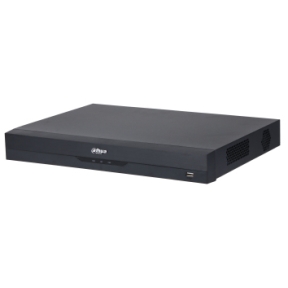

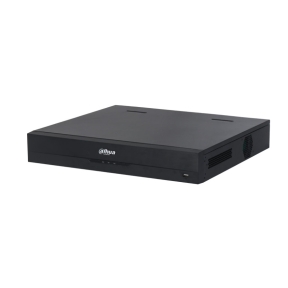

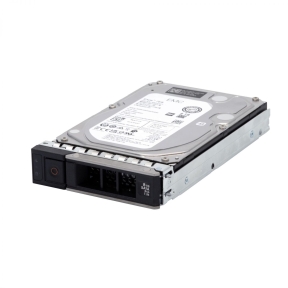

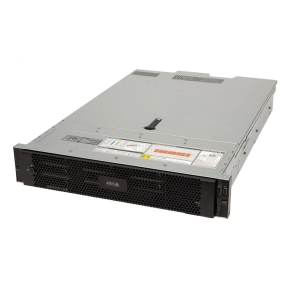

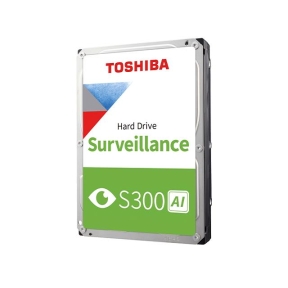
MPN: MG11ACA16TE-V
HDD, TOSHIBA, 16 TB, Serial ATA III, Buffer 1024 MB, 7200 RPM, 3.5 , MG11ACA16TE-V
TOSHIBA
MPN: MG11ACA16TE-V
HDD, TOSHIBA, 16 TB, Serial ATA III, Buffer 1024 MB, 7200 RPM, 3.5 , MG11ACA16TE-V
TOSHIBA

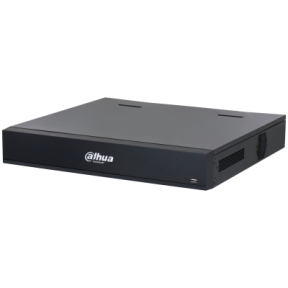
NVRs, PoE switches and the components that complete a CCTV install
The cameras get the marketing budget, but a working CCTV install depends on the components behind them: the NVR (Network Video Recorder) that records footage, the PoE switch that powers cameras, the brackets that mount them, and dozens of small parts that turn a pile of equipment into a deployed system.
What this category covers
Network Video Recorders (NVRs) for IP camera installs in 4, 8, 16 and 32-channel sizes; Digital Video Recorders (DVRs) for analogue camera retrofits; PoE switches in 4, 8, 16, 24 and 48-port sizes; mounting brackets, pole adapters and corner mounts; junction boxes and weatherproof enclosures; BNC and RJ45 connectors; video baluns for converting between analogue and CAT6; UPS units sized for surveillance equipment; and replacement hard drives for NVRs.
How to choose surveillance components
Pick the NVR by camera count and storage retention
The NVR's channel count must match or exceed the camera count, with margin for adding cameras later. Storage retention drives the hard drive size: a 16-channel NVR with 30-day retention typically needs 8 to 16 TB of storage. Use surveillance-grade hard drives (WD Purple, Seagate SkyHawk) rated for continuous write workloads; standard desktop drives fail in months under continuous CCTV use.
Match the PoE switch to the cameras
IP cameras use PoE (15.4 W) or PoE+ (30 W) power. Most fixed cameras are PoE; PTZ cameras and high-power cameras need PoE+. The switch's total power budget must cover the sum of cameras connected; a 24-port PoE switch usually has a 250 to 400 W budget, enough for 24 standard cameras or 8 to 12 PTZ.
Specify proper brackets and weatherproofing
Outdoor cameras mount on brackets that may be wall, pole, eaves or pendant style. Specify brackets matched to the camera model and the mounting surface. Junction boxes behind outdoor cameras keep cable connections weatherproof; specify boxes rated for the install's exposure.
Plan a UPS for the recording side
An NVR that loses power during an incident has lost the footage. Specify a UPS sized for at least 30 minutes of NVR and PoE-switch operation; longer for high-priority sites. The UPS should also gracefully shut down the NVR before the battery runs out, to avoid drive corruption.
Key features to compare
NVR codec support
Modern NVRs support H.264 and H.265 (HEVC) compression. H.265 cuts storage requirements roughly in half compared to H.264 at similar quality. The NVR and the cameras must agree on the codec; mismatches force the NVR to transcode, which limits channel capacity.
Recording analytics
Modern NVRs include motion detection, line-crossing detection and people-counting analytics that filter recordings to events of interest. Reduces review time during incident investigation and saves storage in low-activity environments.
Remote access and mobile apps
Most NVRs support remote access via the manufacturer's app and web interface. For sites under remote management, this is essential; for purely on-site reviewed installs, less so.
What to check before buying
- NVR channel count with margin for camera additions?
- Storage size matched to retention period and camera resolution?
- PoE switch power budget covering all cameras with margin?
- Surveillance-rated hard drives, not desktop drives?
- UPS sized for graceful shutdown during outages?
Frequently asked questions
Why use a surveillance hard drive instead of a desktop one?
Surveillance drives (WD Purple, Seagate SkyHawk) are designed for continuous write workloads from multiple camera streams. Desktop drives are designed for read-heavy use with intermittent writes. Putting a desktop drive in an NVR usually causes failure within months; the small price difference for surveillance drives is well worth it.
How big should the NVR storage be?
Calculate from average bitrate per camera, camera count and retention period. A typical 4 MP camera at H.265 with continuous recording produces about 6 to 10 GB per day. For a 16-camera site with 30-day retention, that is 3 to 5 TB; round up to 8 TB and configure RAID (Redundant Array of Independent Disks) 1 or RAID 5 for redundancy.
Can I use a regular network switch instead of PoE?
Only if separate PoE injectors are used or if the cameras have their own power. PoE switches are simpler: one cable per camera does both data and power. For 4 or fewer cameras, individual PoE injectors are cheaper; for more, a PoE switch is the practical choice.
What is a video balun?
A video balun (BALanced-UNbalanced converter) lets analogue camera signals run over standard CAT5/CAT6 network cable instead of coaxial. Useful for retrofitting analogue cameras into buildings already wired with structured cabling. Specify the balun pair (one at each end) rated for the camera's signal type (TVI, AHD, CVI).
Do I need a separate UPS for the NVR?
Yes. The NVR records 24/7 and a power cut while writing can corrupt the file system. A small UPS sized for the NVR plus PoE switch (typically 600 to 1500 VA) keeps the system running through brief cuts and shuts down gracefully on longer outages.