
Scanners
10 results
Scanners
10 results
Dedicated document and photo scanners for office, home office and field use. The selection covers sheet-fed document scanners with automatic document feeders for high-volume paper digitisation, flatbed scanners for books and photos, and portable battery-powered scanners for travel. Listings show scan speed, ADF capacity, optical resolution and direct connection options.
Loading...

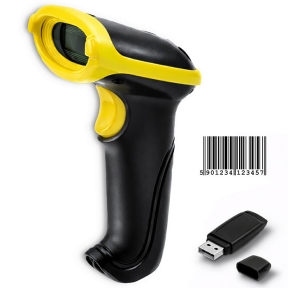

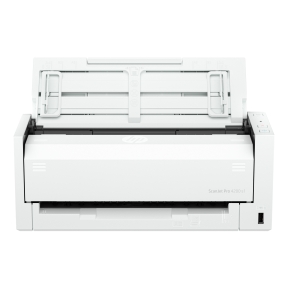

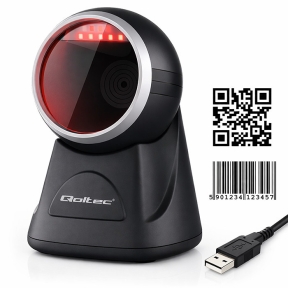

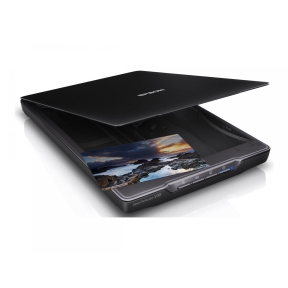
Sheet-fed, flatbed and portable scanners for paper-heavy office workflows
The right scanner depends on what is being digitised: stacks of office paperwork, individual photos and books, or the occasional travel receipt. A multifunction printer covers basic scanning in passing, but offices that handle paper at scale benefit from a dedicated unit with a fast sheet feeder, duplex scanning and direct integration into document management systems.
What lives in this section
Sheet-fed document scanners with automatic document feeders (automatic document feeder, ADF) for office paperwork and contract digitisation; flatbed scanners with glass platens for books, photos and irregular originals; portable scanners that run on Universal Serial Bus (USB) or battery for field and travel use; and high-volume production scanners for service-bureau and back-office work.
How to choose a scanner
Match the scanner to what gets scanned
Routine office paperwork (contracts, invoices, receipts) digitises fastest on a sheet-fed scanner with a duplex ADF. Books, fragile documents and photos need a flatbed with a glass platen. Mixed needs are served by combination scanners with both an ADF and a flatbed, similar to the scan side of a multifunction printer but with higher speed and better software.
Pay attention to ADF capacity and duplex scanning
Office scanners list ADF capacity (typically 50 to 100 sheets) and pages-per-minute throughput in simplex (single-sided) and duplex (both sides in one pass) modes. Single-pass duplex scanners process two pages per sheet without flipping, which roughly doubles real-world throughput on double-sided documents.
Resolution rarely needs to be high
Most office paperwork scans at 200 to 300 dots per inch (DPI), which keeps file sizes manageable while staying clearly readable. Higher resolutions (600, 1200, 2400 DPI) matter for archival photo work, fine-detail technical drawings and optical character recognition (OCR) of small print. Headline 9600 DPI numbers are usually interpolated and rarely useful.
Confirm the connection and software
USB is the simplest direct connection. Network scanners with Ethernet or Wi-Fi let multiple users send scans to email, network folders or cloud services without going through a personal computer. Modern document scanners ship with included software for OCR, Portable Document Format (PDF) creation and document management; check that it covers the operating systems in use.
Key features to compare
Daily duty cycle
Scanner specs include a recommended daily volume (number of pages per day the scanner is rated for). Routine office scanners handle 1,000 to 5,000 pages per day; production scanners handle 10,000 to 100,000. Match the rating to actual use, not peak demand.
Image processing features
Modern scanners include automatic colour detection, blank-page removal, image straightening, hole-punch removal, multi-feed detection and barcode reading. These reduce post-scan editing work and matter more in office workflows than headline DPI.
Direct destinations
Scan-to-email, scan-to-folder, scan-to-cloud and scan-to-document-management let users send scans without a personal computer step. For office use, this is one of the most useful productivity features.
What to check before buying
- Daily volume of pages, simplex or duplex?
- Sheet-fed, flatbed, or both formats needed?
- Resolution required (200 to 300 DPI for office, higher for archival)?
- Direct destinations matching the office workflow?
- Software included that covers the operating systems and document management in use?
Frequently asked questions
Is a dedicated scanner needed if there is already a multifunction printer?
For occasional scanning, the multifunction printer's scan side is enough. For regular office workloads (dozens of multi-page documents per day), a dedicated document scanner is faster, has a larger and faster ADF, includes better software, and frees the multifunction printer for printing during scan jobs. Volume above about 100 pages per day usually justifies a dedicated unit.
What scanning resolution should be used?
For text documents, 200 DPI is enough; 300 DPI is the comfortable default. For OCR, 300 DPI is recommended. For photos, 600 DPI captures detail well; 1200 DPI is useful for small originals or for prints intended for enlargement. Higher resolutions waste storage and processing time without visible quality gain on most originals.
Why does my ADF jam?
Common causes are paper that is too thin or too thick, curled, stapled, paper-clipped, or worn rollers on the scanner itself. Loading the ADF in small batches with the same paper weight, removing all staples and clips, and replacing rollers per the manufacturer's schedule resolves most jam patterns.
Is OCR included with scanners?
Most office document scanners ship with bundled OCR software. The included version usually covers the basics; full versions with batch processing and advanced features are available as upgrades. For occasional OCR, the bundled software is sufficient.
Can books be scanned on a sheet-fed scanner?
No. Sheet-fed scanners require loose pages and will jam on bound material. Flatbed scanners with a glass platen are the right choice for books, magazines and bound documents. Some specialised book scanners use a V-shaped cradle and overhead camera for non-destructive book digitisation.