
Notebook Accessories
553 results
Notebook Accessories
553 results
Portable computer (notebook) accessories: bags and sleeves for transport, chargers and power adapters for replacements and travel kits, docking stations for desk-style use with external monitors, plus a smaller miscellaneous group covering charging trolleys, replacement batteries, security locks and cleaning supplies. Each subcategory specifies the laptop families it fits so an order does not bring back the wrong dock.





Loading...
Notebook accessories for daily mobility, replacement and workspace setup
An accessory category exists because the box a notebook ships in covers basic use only. The moment a user wants to dock at a desk, charge in a second location, carry the device safely or run several units from one charging station, the supporting hardware lives outside the laptop itself. This section gathers that supporting hardware: transport, power, docking and the smaller workspace items that surround a portable computer.
Subcategory at a glance
Bags, sleeves and backpacks
Padded sleeves for slot-in protection, shoulder bags for the office commute, and backpacks with dedicated padded sections for daily carry. Sized to the screen diagonal stated by the laptop manufacturer.
Chargers and power adapters
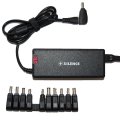
Original notebook power adapters and USB-C (Universal Serial Bus Type-C) Power Delivery chargers. The adapter category covers replacement units, travel chargers and shared-desk spares so a single user can charge in office, home and meeting room without unplugging anything.
Docking stations
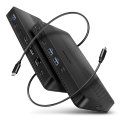
USB-C (Universal Serial Bus Type-C), Thunderbolt and proprietary mechanical docks that turn a portable computer into a desk-style workstation: external monitors, USB ports, wired Ethernet and power through one cable. Compatibility is by host interface and PD wattage, not laptop model.
Other accessories
Charging trolleys for school and office fleets, replacement batteries listed by manufacturer part number, security cable locks, cleaning kits, privacy filters, port adapters and small spare parts that do not warrant their own subcategory.
Choosing accessories that fit the deployment
Standardise the dock first
If staff move between desks or work from home occasionally, picking one docking-station family (USB-C PD, Thunderbolt 4 or one OEM mechanical dock) lets every laptop plug in anywhere. Mixing dock types fragments the office into incompatible islands within a year. Buy a few extra docks for the meeting rooms while standardising.
Match charger spec to the device, not the cable
Notebook chargers vary in wattage (45 W, 65 W, 90 W, 100 W and higher) and connector. A USB-C cable does not guarantee compatibility: the charger has to deliver the wattage the laptop expects and use a connector the laptop accepts. Read the spec on both ends before ordering replacements in volume.
Bag size by screen diagonal, not "looks about right"
Sleeves and bags are sized to the laptop diagonal stated by the manufacturer (13.3", 14", 15.6", 17.3"). A 15.6" notebook will not safely fit a 14" sleeve even if it visually looks close. Order by inches, not by appearance.
Frequently asked questions
Are these accessories included with a new notebook?
The box typically contains the device, a charger and basic documentation. Bags, docking stations, replacement batteries, security locks, charging trolleys and similar items are accessories bought separately as the deployment grows.
Can a USB-C dock work with any laptop?
Only with a laptop that supports USB-C with Power Delivery and DisplayPort Alt Mode. Older USB-C ports without these capabilities cannot drive a docking station. Check the laptop's port specification before ordering.
How many spare chargers should an office stock?
The pragmatic ratio is one extra charger per five active notebooks for hot-desk and travel use, plus one per meeting room and one per shared workspace. Cheaper than dealing with dead-laptop tickets in middle of meetings.
Do replacement batteries fit any laptop of the same brand?
No. Batteries are matched by manufacturer part number, not brand or model line. A replacement battery for one model often will not fit a closely-related sibling model. Always order by part number.