
Power Cables
59 results
Power Cables
59 results
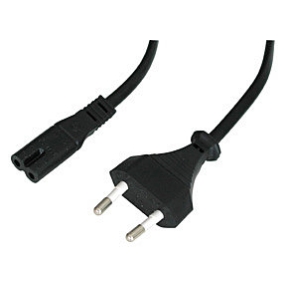
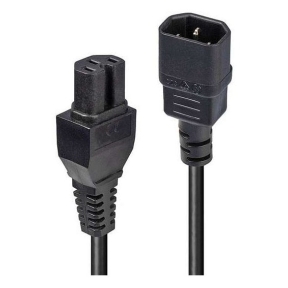
Mains and equipment power cables for desktops, monitors, servers, network gear and Uninterruptible Power Supplies. The selection covers IEC C13 and C19 kettle leads, country-specific wall plugs, jumper cables for rack equipment, and rated extensions. Each cable is rated for a specific current and voltage, so the lead matches the load it will carry.
Loading...


Category overview
Power cables move mains current from a wall socket or a Power Distribution Unit to the equipment that needs it. Choosing the right cable is mostly about three things: the connector at each end, the country of use, and the current the cable has to carry without overheating.
What this category covers
Computer power cables with C13 connectors, server and high-current cables with C19 connectors, jumper cables for racks (C13 to C14, C19 to C20), country-specific wall plugs and rated extension leads.
How to choose a power cable
Match the connector at the equipment side
Most desktops, monitors and small Uninterruptible Power Supply (UPS) units use a C13 socket and a C14-equivalent kettle lead. High-current servers, larger UPS units and some Power Distribution Units (PDUs) use C19. The label near the device socket lists the IEC standard.
Choose the right country plug
Power cables ship with regional plugs (Schuko, UK, US, Swiss, Italian, Australian and others). For an international team or shared spare stock, jumper cables that go directly from a PDU to the equipment avoid the country issue altogether.
Check the current rating
A C13 cable is typically rated for 10 A, a C19 cable for 16 A or more. Running a high-load device through an underrated cable is unsafe and can also trip the equipment. The rating is printed on the cable jacket.
Key features to compare
Length and routing
Shorter cables reduce clutter and voltage drop. Longer cables are useful in rack environments where the PDU and the device may sit far apart. Avoid coiling unused length tightly under load.
Shielding and jacket
For office use, a standard PVC jacket is fine. For industrial or high-temperature environments, look for higher-rated jackets, locking connectors or armored cables.
What to check before buying
- Which exact IEC connector does the equipment use, and how many do you need?
- What country plug or PDU outlet does the cable have to plug into?
- What is the maximum current the cable will need to carry continuously?
- Is a locking connector required to prevent accidental disconnection?
- Is the route long enough to need a longer cable rather than an extension?
Frequently asked questions
What is a C13 cable?
C13 is the IEC standard for the female connector found on most computer power cables. It plugs into a C14 male inlet on the device. Together this is sometimes called a kettle lead because the same connector was used on early electric kettles.
When do I need a C19 cable instead of C13?
Equipment that draws more than about 10 amps uses the larger C19 inlet, which mates with a C20 plug. This is common on rack servers, larger UPS units and some PDUs. Using C19 cables with the matched outlet gives more headroom and safer operation under continuous load.
Can I use a regular extension cord with a server?
Generic household extension cords are often rated for lower current than rack equipment can draw under load. Use a rated IEC jumper cable, a properly rated PDU, or an extension specifically rated for the equipment's nameplate current.
Why does my power cable feel warm?
A small amount of warmth is normal under heavy load. Hot to the touch suggests the cable is undersized for the current, the contact resistance at the plug or socket is too high, or the cable is coiled tightly under load. Stop the load and check the rating.
Are all C13 cables the same?
Connector-wise yes, but the current rating, conductor cross-section and jacket type vary. A budget 0.75 mm² cable is fine for a monitor; a 1.0 mm² or 1.5 mm² cable is needed for a desktop drawing close to the C13 limit.