
Smartphone Accessories
608 results
Smartphone Accessories
608 results
Accessories that protect, charge and connect smartphones for personal and fleet use: cases and covers, wired and wireless chargers, powerbanks, desk and car holders, mounts, USB-C (Universal Serial Bus Type-C) and Lightning cables, adapters and small spare parts. Subcategories separate the main accessory groups so a buyer can build a complete kit alongside the phone in one order.





Loading...
Smartphone accessories for protection, charging and daily use
Accessories make a phone last longer, charge faster and stay reachable on the desk and in the car. They are also the part of a phone deployment that nobody plans for and everyone needs. Group ordering at fleet rollout time is much cheaper and simpler than collecting individual purchase requests later.
What this category covers
Protective cases, covers and screen protectors; wired chargers, wireless chargers and powerbanks; desk stands, car mounts and bicycle holders; USB-C (Universal Serial Bus Type-C), Lightning and USB-A cables in different lengths and certified speeds; adapters; and small spare parts (replacement straps, lens covers, charging port plugs).
Who this category is for
IT teams equipping fleet phones with cases and chargers, individual buyers protecting personal phones, fleet managers stocking spares for replacements, and operations teams in retail and field service that depend on phones to do daily work.
How to plan smartphone accessories
Match accessories to the phone, not the brand
Cases, screen protectors and many holders are model-specific. Buying generically by brand or year usually leads to wrong fit. Specify accessories with the exact phone model and generation, including any small differences (Plus, Pro, Max sizes can have different camera bumps).
Standardize charging across the fleet
Mixing USB-C and Lightning across one fleet doubles cable inventory and complicates desk setups. Apple's move to USB-C on iPhone simplifies this for new fleets. For existing fleets with Lightning iPhones, plan the transition cable strategy alongside any new device order.
Plan accessory life alongside phone life
Cases and screen protectors take wear and tear and rarely last the full phone life. Plan one or two replacements per device over a three-year fleet cycle, especially for field staff and retail roles.
Subcategories at a glance
Cases & Covers
Slim cases, rugged cases, wallet folio cases and clear covers for current smartphone models.
Chargers & Powerbanks
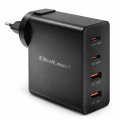
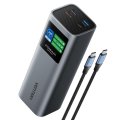
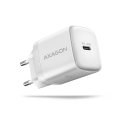
Wired USB-C and Lightning chargers, wireless and MagSafe pads, multi-port desk chargers, and powerbanks in different capacities.
Cables & Adapters
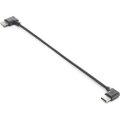
USB-C, Lightning and USB-A cables in different lengths and certified speeds, plus adapters for legacy connections.
Holders & Car Mounts
Desk stands, car dashboard and vent mounts, bicycle holders and headrest mounts.
Other Phone Accessories
Screen protectors, lens covers, replacement straps, port plugs and other small items.
What to check before buying
- Exact phone model and generation for case fit?
- Charging connector standardized across the fleet?
- Cables rated for the actual charging wattage?
- Mount type matches the use (desk, car, bicycle, vehicle)?
- Accessory life and replacement plan for the device cycle?
Frequently asked questions
Do I really need a case on a phone with Gorilla Glass?
Modern phone glass survives many scratches but cracks readily on edge impacts. A case with raised corners and a screen protector takes the impact instead of the phone. For most users, a basic case pays back the first time the phone slides off a desk.
Wireless charging or wired for fleet desks?
Wired charging is faster, more reliable and cheaper per desk. Wireless is convenient but slower and generates more heat (which shortens battery life). For fleet desks, wired USB-C or Lightning chargers with a tidy cable run usually serve better than wireless pads.
What cable wattage do I need?
For modern smartphones, 20 W to 30 W is enough for normal charging. Fast charging on flagship phones uses 45 W to 100 W and requires a matching charger and cable. Cables not rated for the wattage charge slowly and may overheat under load.
Are powerbanks worth the inventory?
For field staff, sales teams travelling to client sites, and retail managers between stores, yes. A 10,000 mAh powerbank covers a full day of heavy phone use. For office staff who sit near a charger most of the day, powerbanks are usually unnecessary.
Will my old Lightning cables work with the new USB-C iPhone?
No. Apple moved iPhones to USB-C starting with iPhone 15. Existing Lightning cables are not compatible. Plan the transition by phasing in USB-C cables and chargers alongside new phones, with a small inventory of both during the overlap.