
Tablet Accessories
35 results
Tablet Accessories
35 results
Accessories for business and education tablet deployments: protective cases and rugged covers for fleet devices, keyboard folios and Bluetooth keyboards for text-heavy use, stylus pens for annotation and creative work, screen protectors, desktop and wall stands, and replacement chargers for multi-device charging setups.
Loading...

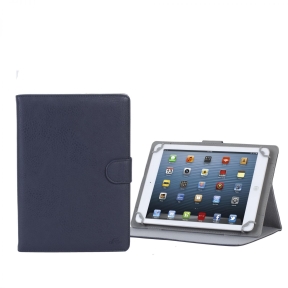
Tablet accessories for business and education deployments
A tablet purchased for a fleet deployment is usually incomplete without at least a case and a charger. For many roles, a keyboard folio or stylus is what turns the tablet from a consumption device into a productive work tool. This category covers the accessories that make tablets fit for purpose across different roles and environments.
What this category covers
Protective cases and rugged covers for iPads, Android tablets and Windows slates; keyboard folios and detachable Bluetooth keyboards; Apple Pencil and compatible stylus pens; screen protectors (tempered glass and privacy film); desktop stands and wall-mount brackets; and chargers, charging hubs and cables for single and multi-device setups.
How to plan tablet accessories for a fleet
Case protection level by environment
Office and education tablets in low-risk environments: slim folio cases add drop protection and a stand function without adding much bulk. Classroom tablets and field devices in higher-risk environments: ruggedised cases with reinforced corners, raised bezels and carry handles survive regular drops. For healthcare and industrial use, full-body cases with IP ratings keep dust and liquid out of ports.
Keyboard folio for text-heavy roles
Users who need to type documents, emails or forms for more than an hour per day benefit significantly from a keyboard folio. Apple's Magic Keyboard and Smart Folio keyboards are well integrated with iPadOS; for Android and Windows, third-party Bluetooth keyboards cover most tablet models. Factor keyboard weight and pairing method into the choice for fleet deployments.
Stylus for annotation and creative work
Apple Pencil (1st and 2nd generation depending on iPad model) works only with compatible iPad models and requires checking the generation match. For Android and Windows tablets, active stylus options from Wacom, Samsung S-Pen and Microsoft Surface Pen cover the main platforms. For fleet annotation use (signing documents, form completion, note-taking), a basic active stylus is sufficient; for creative and design work, pressure sensitivity and tilt detection matter more.
Charging setup for multi-device environments
Shared tablet environments (classrooms, retail, logistics) need trolley chargers or desktop charging hubs that handle 10, 20 or 30 devices overnight. Check per-port wattage — tablets with 20W or higher fast charging are limited by charger output, not just cable quality.
What to check before buying
- Exact tablet model for case and keyboard folio compatibility?
- Apple Pencil generation matching the iPad model?
- Rugged protection level needed for the deployment environment?
- Single-device or multi-device charging setup?
- Screen protector type: tempered glass, hydrogel or privacy filter?
Frequently asked questions
Which Apple Pencil works with which iPad?
Apple Pencil 1st generation works with iPad (6th generation and later), iPad mini (5th generation), iPad Air (3rd generation) and iPad Pro models from 2015 to 2017. Apple Pencil 2nd generation works with iPad Air (4th generation and later), iPad mini (6th generation and later) and iPad Pro (3rd generation and later, 11-inch and 12.9-inch). Apple Pencil Pro works with iPad Air M2 and iPad Pro M4. Check the exact model before ordering — the connectors and charging methods differ between generations.
Do third-party cases void tablet warranties?
No. Using a third-party case does not affect the manufacturer warranty on the tablet itself. Damage caused by a case that fails (for example, a case that cracks and scratches the screen) is not covered under the tablet manufacturer warranty, but the case not being official does not by itself void the manufacturer warranty.
Can I use a universal keyboard with any tablet?
Bluetooth keyboards work with any tablet that supports Bluetooth. Key layout and shortcut mapping may differ from the native keyboard experience on each OS. For iPadOS, keyboards with iPadOS-specific function keys (Control Center, Stage Manager shortcuts) give a closer experience to the Smart Keyboard Folio. For general text entry across mixed-OS fleets, a universal Bluetooth keyboard works adequately.
How many tablets can a trolley charger handle?
Classroom trolley chargers typically handle 16, 20, 24 or 32 tablets depending on the model. Check that the total wattage per slot matches the tablet's charging requirement — a 10W slot charges a 20W-capable tablet at half speed. For overnight charging, lower per-slot wattage is usually acceptable; for quick turnaround between sessions, higher wattage matters.
Is a screen protector necessary on a tablet with a case?
Cases with raised front bezels protect the screen when the tablet is placed face-down, but do not prevent scratches from keys, pens or debris in the same bag or shelf. A tempered glass screen protector adds scratch resistance for a few euros and is worth including in fleet procurement, especially for classroom and field deployments where tablets share bags and shelves with other objects.