
Printer Trays & Other Accessories
60 results
Printer Trays & Other Accessories
60 results
Printer accessories that extend a base unit's capabilities: additional paper trays for higher capacity, finishers for stapling and stacking, duplex units for two-sided printing, network and Wi-Fi cards for connectivity, and small parts like roller kits, paper feed units and cabinet stands for office printers. Specify these alongside the printer for a complete workgroup setup.
Loading...

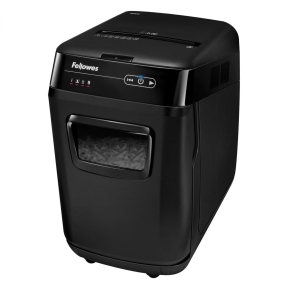

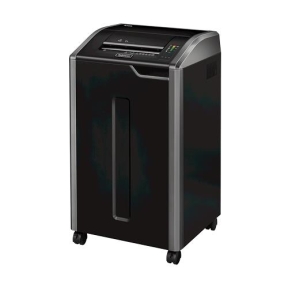

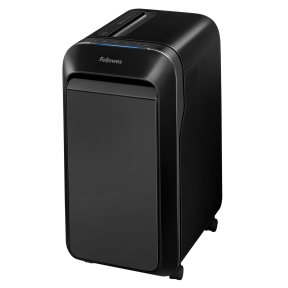

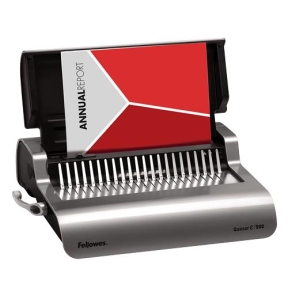


Trays, finishers and add-ons that turn a base printer into a workgroup machine
A printer ships with the basics. Accessories are how that base unit grows into something a whole floor can share. Extra paper trays, output finishers, duplex modules and network cards turn a low-volume desktop into a multi-tray, automatically stapling, hole-punching workgroup printer that no longer needs someone standing next to it.
What lives in this section
Additional paper input trays in 250-, 500- and 1500-sheet capacities; multi-purpose trays for envelopes and special media; output finishers with stapling, stacking and hole punching; duplex units for two-sided printing where it is not built in; network interface cards and Wi-Fi cards for older printers; printer cabinet stands; and small replacement parts such as roller kits, paper pickup units and waste collection items.
How to choose printer accessories
Match the accessory to the exact printer model
Most printer accessories are model-specific or family-specific. The printer's accessory list (in the manual or on the manufacturer's product page) shows which add-ons are compatible. Generic accessories rarely fit office printers; the mechanical and electronic interfaces are proprietary.
Plan paper handling around the typical workload
Standard input trays hold 100 to 250 sheets. Adding a 500-sheet cassette covers most office workgroups for several days at a time. High-volume offices benefit from 1500-sheet trays plus a multi-purpose tray for envelopes and special media. Match capacity to the actual reload frequency that staff will tolerate.
Consider finishers for high-volume offices
Output finishers add automatic stapling, hole punching and stack offset. For offices that produce dozens of multi-page reports a day, the time saved by automatic finishing pays back quickly. For offices that print mostly single pages, a finisher is over-specified.
Confirm install method
Some accessories install in minutes (an extra paper tray slides under the printer; a network card goes into a slot). Others (large finishers, paper feed cabinets) need positioning, alignment and sometimes a service technician. Confirm the install path before ordering.
Key features to compare
Capacity and paper sizes
Trays list maximum paper capacity (sheets at standard weight) and supported paper sizes. Some trays handle only Letter or A4; multi-purpose trays handle envelopes, labels, cardstock and odd sizes. Match to the office's actual paper mix.
Stapling and finishing options
Finishers vary in the number of staples per set (typically 30 to 65 sheets), staple positions (corner, edge), and additional features such as booklet folding for in-house brochure production.
Connection card features
Network and Wi-Fi cards add specific protocols (10/100 or Gigabit Ethernet, dual-band Wi-Fi) and security options (Wi-Fi Protected Access 2 or 3 (WPA2, WPA3), Internet Protocol Security (IPSec)). For corporate networks with strict security policies, the card's supported protocols matter.
What to check before buying
- Exact printer model and the manufacturer's compatible accessory list?
- Tray capacity matched to office reload frequency tolerance?
- Finisher features (staple positions, sheet count, hole punch) matched to typical job mix?
- Network card protocols matching the office network and security policy?
- Install requirements (user-installable or service technician)?
Frequently asked questions
Are extra paper trays worth it for a small office?
For offices that print regularly and run out of paper at inconvenient times, yes. A 500-sheet cassette doubles or triples the time between paper reloads, and the cost is small relative to the productivity gain. For very low volume offices, the standard tray is enough.
Can Wi-Fi be added to a printer that does not have it?
For some printer models, yes, via a Wi-Fi accessory card or Universal Serial Bus (USB) Wi-Fi dongle. Older printers may not have a slot for a Wi-Fi card; in that case, a wired-to-wireless adapter (small bridge device) connects the printer's Ethernet port to a Wi-Fi network. The simpler approach is usually to put the printer on Ethernet and let users print over Wi-Fi from their devices through the network.
What is a finisher and is one needed?
A finisher is an output accessory that adds automatic stapling, stacking and (sometimes) hole punching to printed documents as they leave the printer. For offices producing reports and bound documents regularly, finishers save the manual time of stapling each set. For offices that mostly print single sheets, a finisher is over-engineered.
Why are printer accessories so expensive?
Office printer accessories are sold in low volumes (one to a few per printer) and are model-specific, so the per-unit manufacturing cost is high. Manufacturers also use accessories as a margin product. Third-party alternatives exist for some items (paper trays, network cards) but are rarer than for cartridges and toner.
Is a printer cabinet stand worth it?
Cabinet stands lift the printer to a comfortable working height and provide storage for paper and consumables. For offices where the printer sits on the floor or on a low surface, a stand improves usability and reduces back strain when reloading paper. For printers on a desk or shelf, a stand is unnecessary.