
Notebooks
433 results
Notebooks
433 results
Portable computers (notebooks) combine screen, keyboard and battery in one foldable case. This category covers Business, Consumer, Gaming, Workstation and Rugged models, plus refurbished business notebooks. Specifications focus on processor generation, memory, storage, screen size, weight and battery rating so buyers can match the device to mobility needs and the daily workload it has to handle without slowing the user down.





Loading...
Notebook computers for work, study and travel
A notebook is a personal computer designed to leave the desk. The screen, keyboard, touchpad and battery share one foldable case, which is what makes the same machine usable on a kitchen table, a meeting room and a customer site without a separate setup. Different roles need different priorities from that case, which is why this category sorts notebooks into Business, Consumer, Gaming, Workstation and Rugged ranges, plus refurbished business stock for cost-conscious buyers.
Notebook ranges in this category
Business notebooks
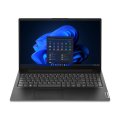
Business notebooks are built for daily professional use: managers, sales, support, remote employees, administrative staff. They favour reliable build quality, comfortable keyboards, long battery life, security features (TPM, fingerprint readers, vPro/AMT remote management) and consistent docking-station support across model generations. The trade-off vs a similarly priced consumer model is design polish: business chassis prioritise repairability and standard parts.
Consumer notebooks
Consumer notebooks cover everyday personal use, study and general productivity: browsing, documents, video calls, online learning, streaming. They balance price, portability, screen size and everyday performance, without the security stack or ruggedisation a business or industrial buyer would pay for. Many household notebooks fall here.
Gaming notebooks
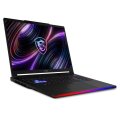
Gaming notebooks pair a stronger processor with a dedicated GPU and faster displays inside a portable case. Beyond games they are routinely used for video editing, 3D applications and other GPU-heavy creative work. They tend to be heavier, hotter and shorter on battery than a business notebook of similar size.
Workstation notebooks
Workstation notebooks carry certified components for engineering and creative software: CAD, 3D modelling, video production, data analysis, large project files. They prioritise CPU speed, RAM capacity, professional graphics and display calibration, with battery life and weight as secondary concerns.
Rugged notebooks
Rugged notebooks are built for environments that destroy regular laptops: warehouses, transport, construction, manufacturing, field service. Reinforced casings, sealed ports, dust and moisture resistance and outdoor-readable displays mean the device survives drops, vibration and weather. The premium pays back through fewer manufacturer warranty claims and less downtime over the device's life.
Refurbished notebooks
Refurbished notebooks are previously deployed devices reconditioned for resale. A well-graded business refurb often outperforms a brand-new entry-level consumer model at the same price. Look at condition grade, battery health, processor generation, RAM, SSD size and screen condition before buying.
How to choose the right notebook
Start with the daily workload
Match the notebook to what it actually has to run every day, not to a top-of-spec dream. Browsing and documents need very different hardware to CAD or video editing. Gaming and creative work need dedicated graphics; office work does not. Field and warehouse use need ruggedisation; office work does not.
Pick the screen size that fits the routine
13 to 14 inch notebooks are the easiest to carry: travel, classrooms, hot-desking. 15 to 16 inch is the balanced default for daily home and office work, with enough screen real estate without becoming a brick. 17 inch is for gaming, design and workstation use where screen space outweighs portability. Most users save weight by adding an external monitor at the desk instead of buying the biggest screen the spec sheet offers.
Specifications worth checking
- Processor generation and tier (basic vs business vs creative vs workstation)
- RAM: 8 GB for light use, 16 GB for business and study, 32 GB or more for creative and workstation work
- SSD storage: 256 GB for cloud-first work, 512 GB for the practical default, 1 TB or more for creative and gaming use
- Display: brightness in nits (300+ for office, 400+ for outdoor), colour gamut for creative work, refresh rate for gaming
- Keyboard layout, touchpad accuracy, webcam quality, weight, battery life, charger size
- Ports: USB-C (Universal Serial Bus Type-C), USB-A, HDMI, Ethernet (or adapter support), card reader, docking-station compatibility
Frequently asked questions
Is a notebook the same as a laptop?
In everyday use yes; both names describe the same portable foldable computer. "Notebook" is more common in business product naming, "laptop" in consumer marketing.
Which notebook is best for a small office or remote team?
A business notebook is usually the right answer. Reliable build, security features, comfortable keyboard, predictable battery life and consistent docking-station support across model generations matter more than peak performance for office workloads.
Which notebook for students?
A 13 to 15 inch consumer or entry business notebook with SSD storage and 16 GB RAM covers documents, video calls, online learning and most coursework comfortably for several years.
Do I need a dedicated graphics card?
Not for office work, browsing or video calls. Yes for gaming, CAD, 3D modelling, video editing, rendering and other GPU-heavy workflows.
How long should a business notebook last?
Three to four years is the practical refresh cycle for daily-use business notebooks, driven mostly by battery wear and physical condition rather than raw performance.
When does a rugged notebook pay back the price premium?
When the device routinely leaves a normal office: field service, construction, manufacturing, logistics, outdoor work. Fewer replacements and less downtime cover the gap.